Phase 4 - Load Balancer and Service
1. Create target group
- Open EC2 Console -
Target groups-Create target group. - Select Target type:
IP addresses. - Enter Target group name:
<your-target-group-name>. - Select Protocol:
HTTP. - Enter Port:
80. - Select VPC:
vpc-0c93d1f17635865a7. - Enter Health check protocol:
HTTP. - Enter Health check path:
/test/health. - Enter Health check port:
traffic-port. - Enter Healthy threshold:
5. - Enter Unhealthy threshold:
2. - Enter Timeout:
5. - Enter Interval:
30. - Enter Success codes:
200-399. - Click
Create target group.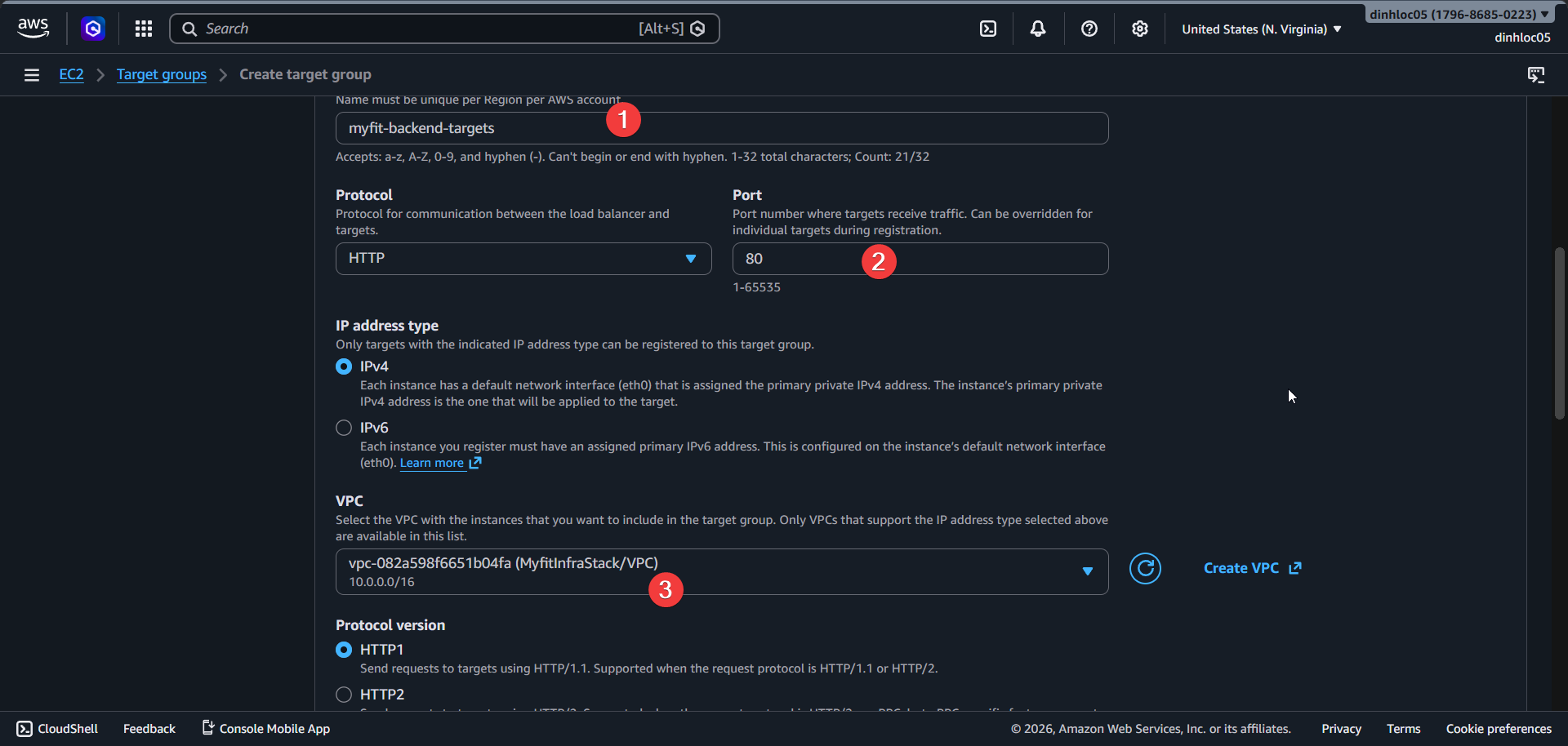
2. Create application load balancer
Open EC2 Console -
Load balancers-Create load balancer.Select
Application Load Balancer.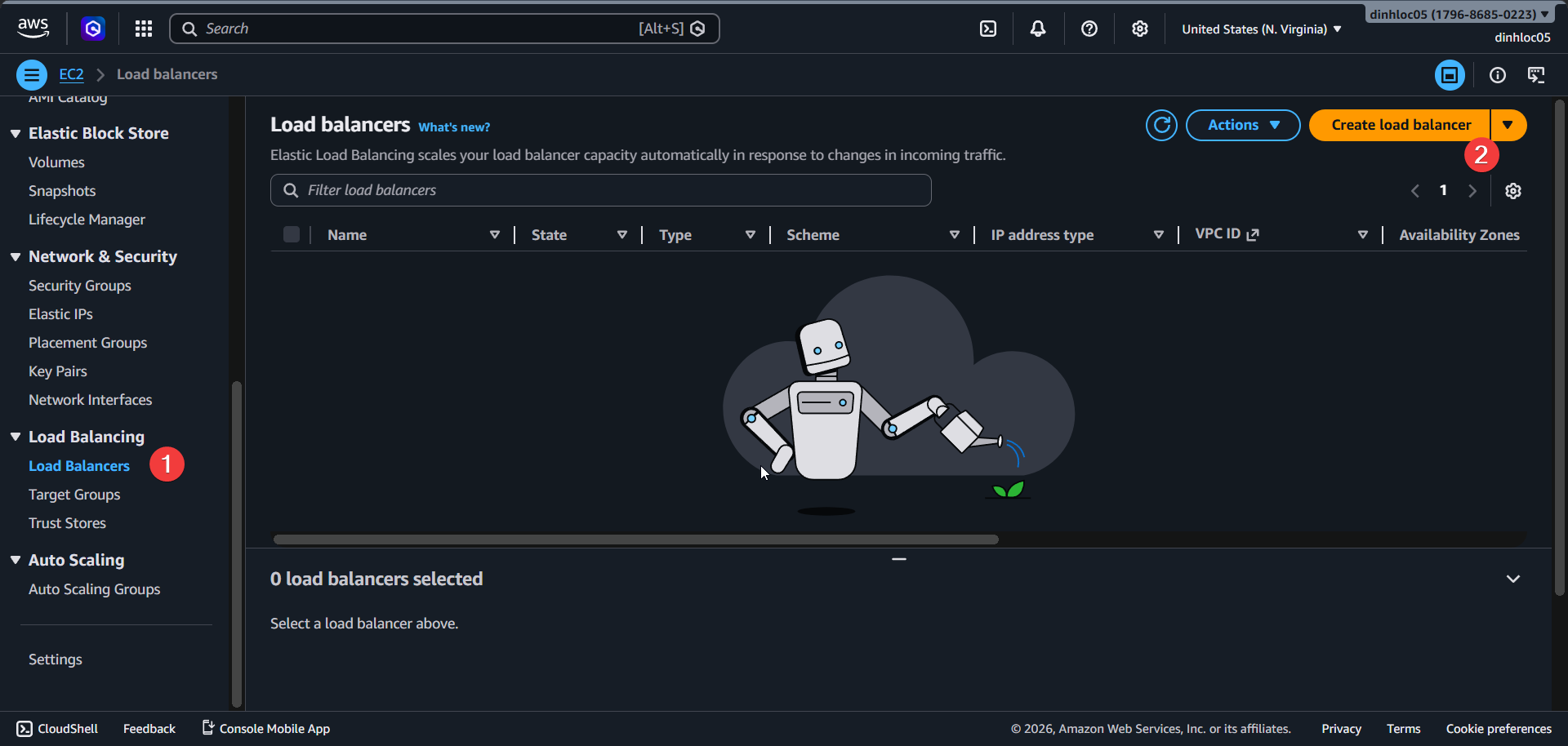
Enter Load balancer name:
<your-alb-name>.Select Scheme:
internet-facing.Select IP address type:
ipv4.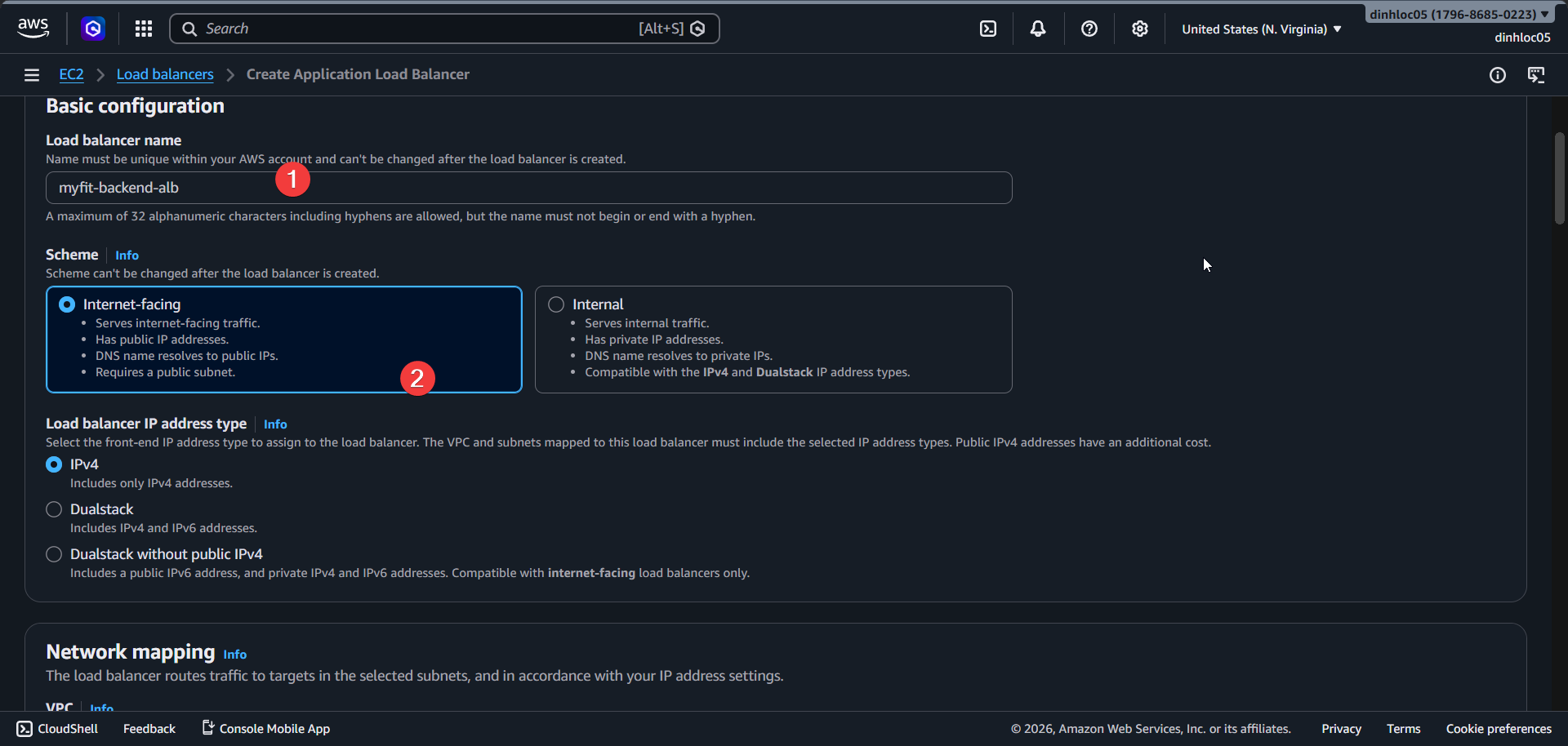
Select VPC:
vpc-0c93d1f17635865a7.Select subnet
subnet-08b30664885ff91ec(us-east-1a).Select subnet
subnet-06ba3f4e55b68d1f8(us-east-1b).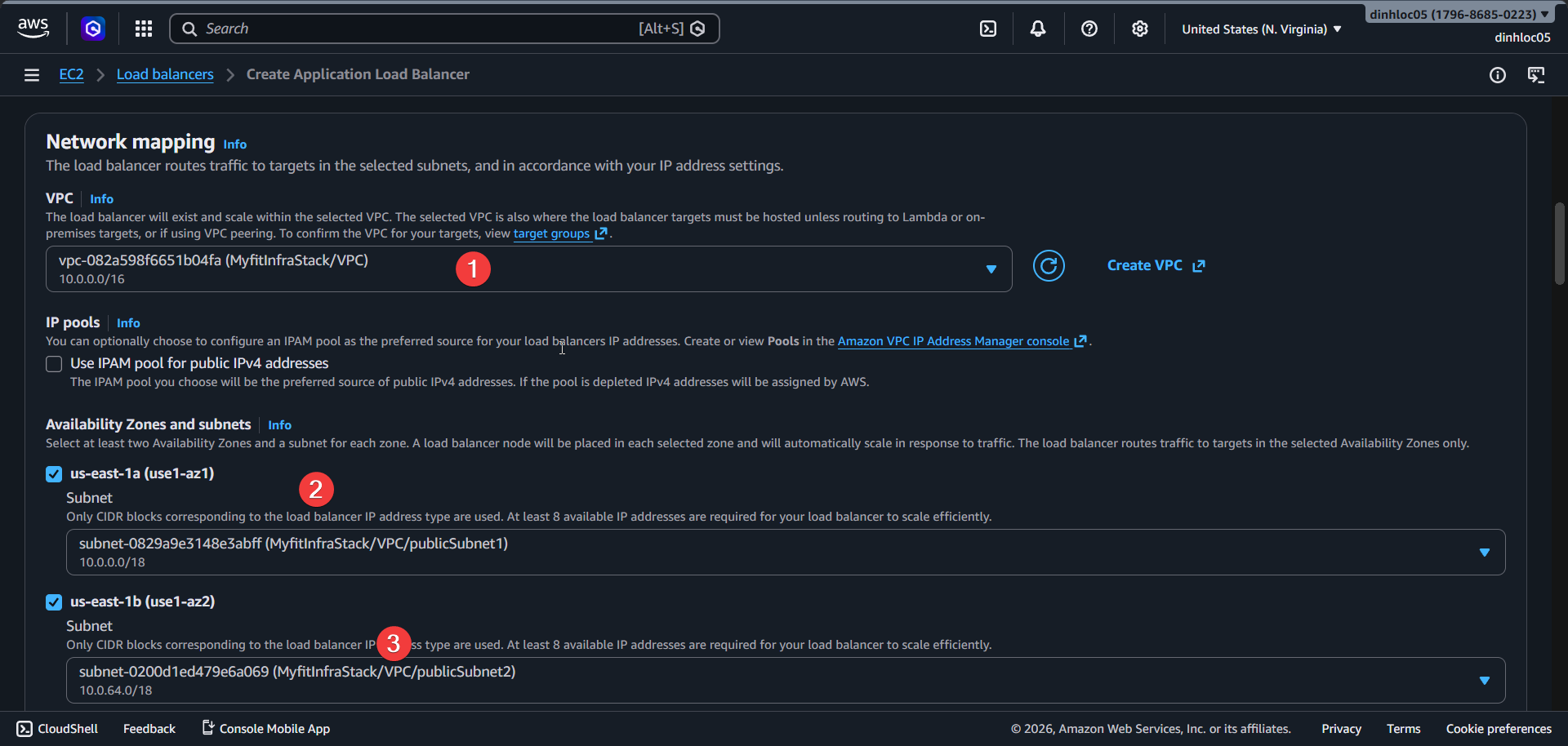
Remove default security group.
Select security group:
sg-08002e12b1aa827d0.Enter Listener protocol/port:
HTTP:80.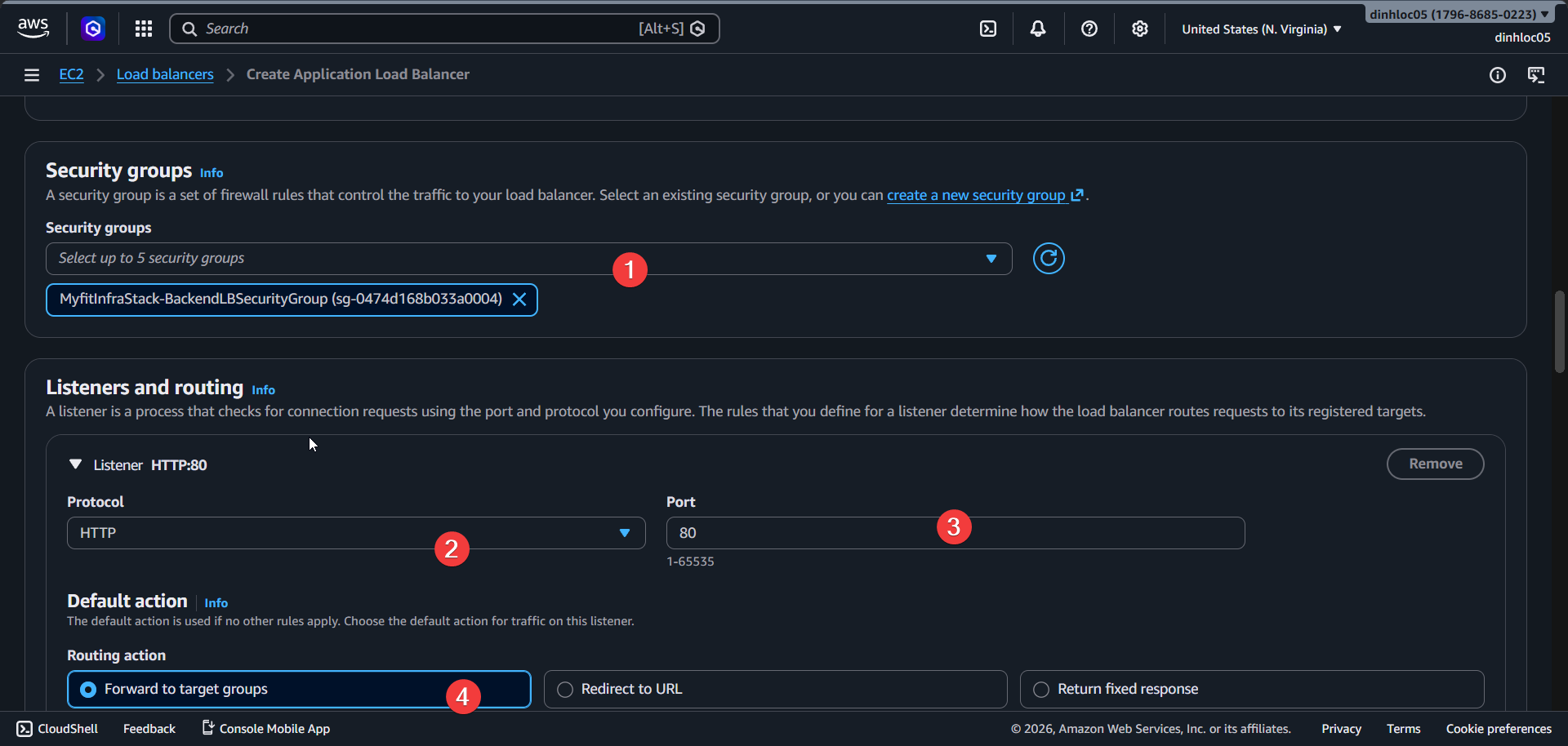
Select Default action:
Forward to <your-target-group-name>.Select
<your target group>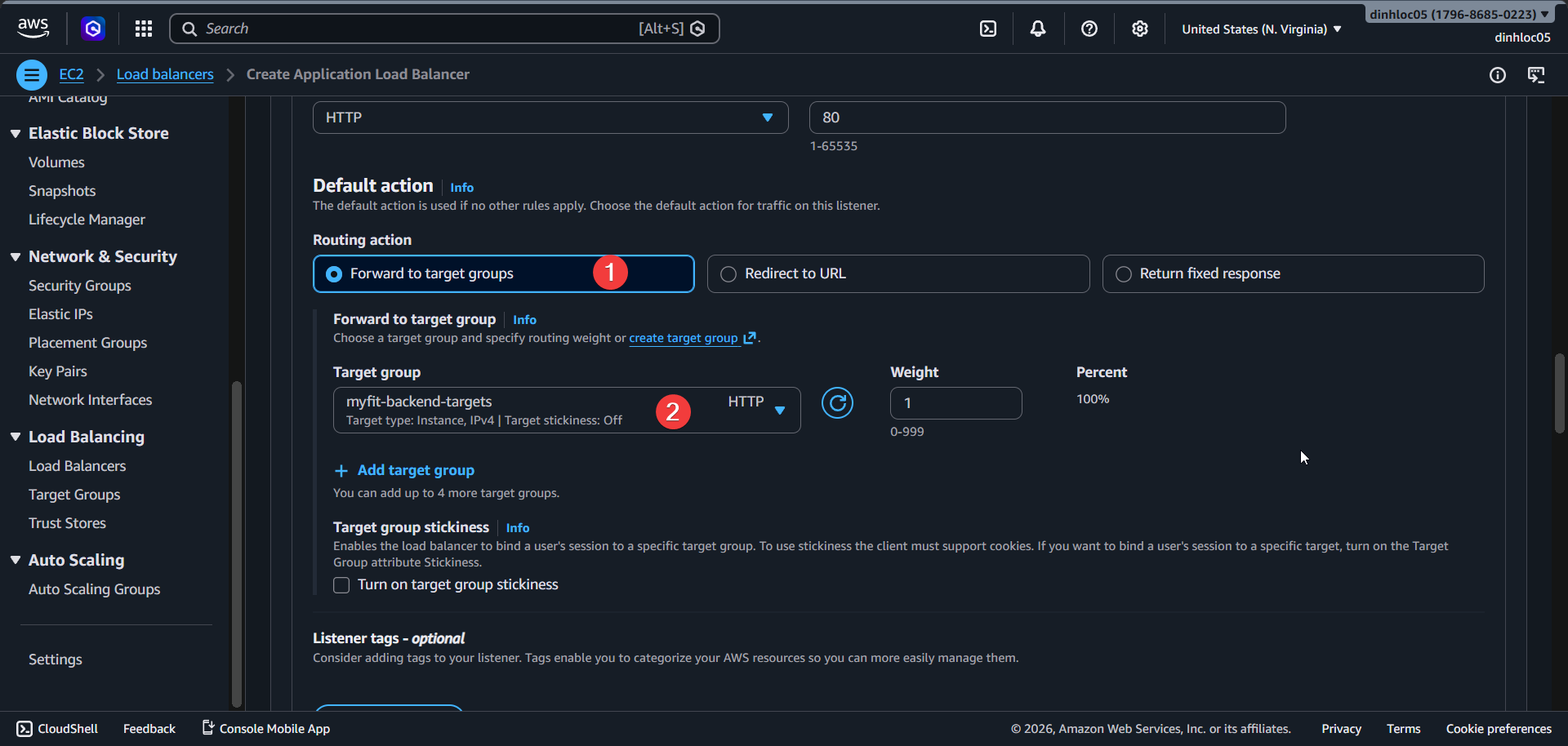
Review all fields.
Click
Create load balancer.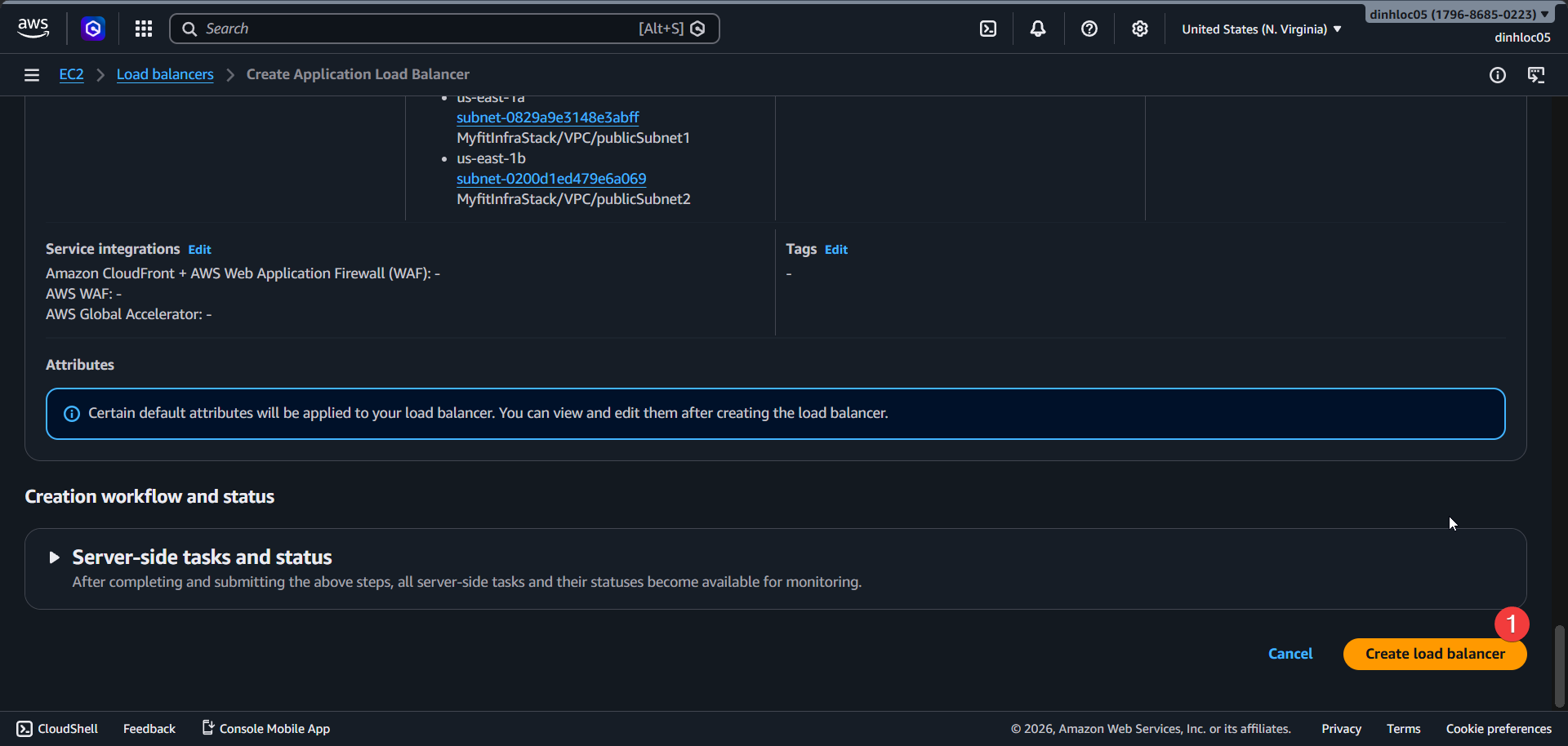
Wait for ALB status
active.Copy ALB DNS name:
<your-alb-dns-name>.
3. Create ECS service
Open ECS Console -
Clusters-<your-ecs-cluster-name>-Create service.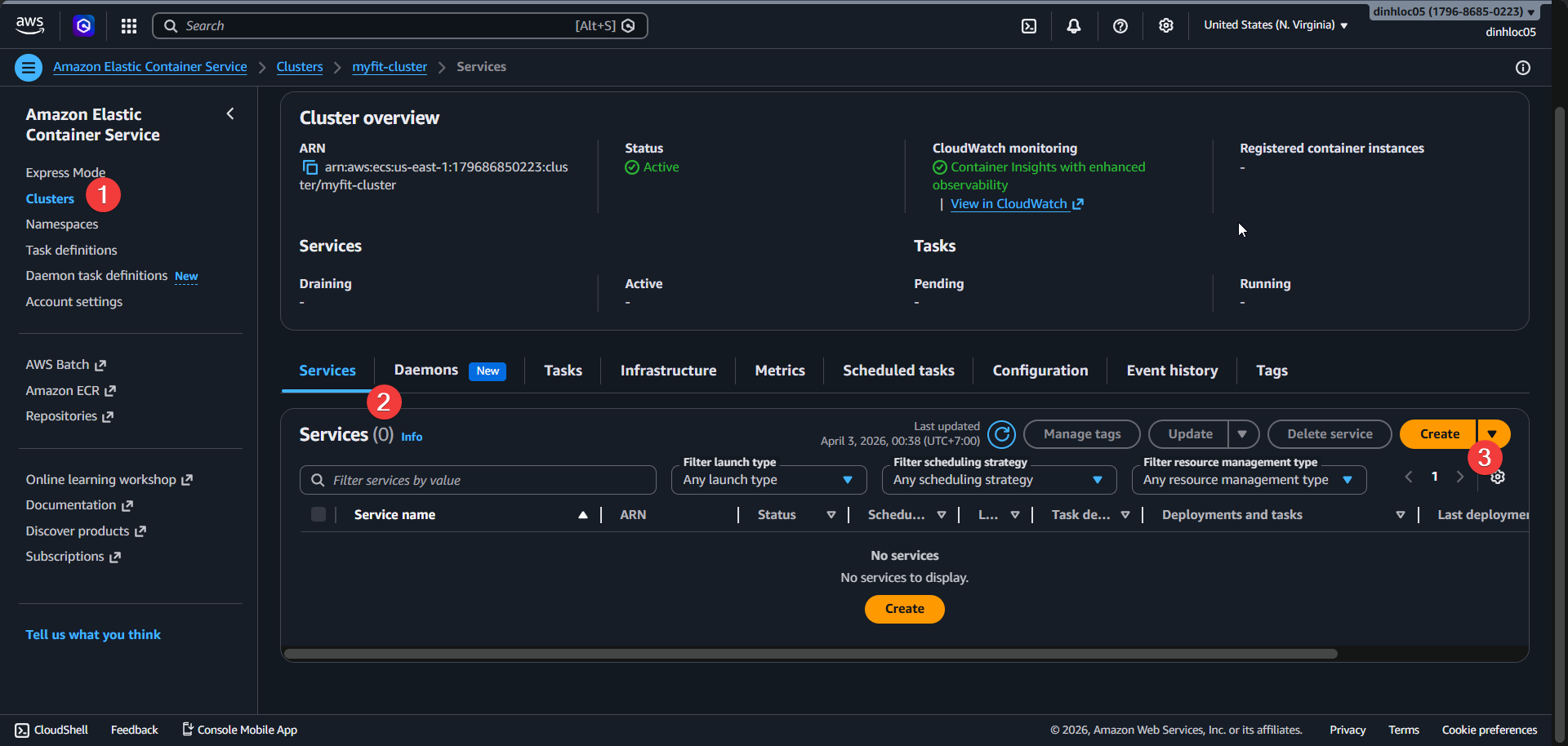
Select Task definition family:
<your-task-definition-family>.Select Task definition revision:
LATEST.Enter Service name:
<your-ecs-service-name>.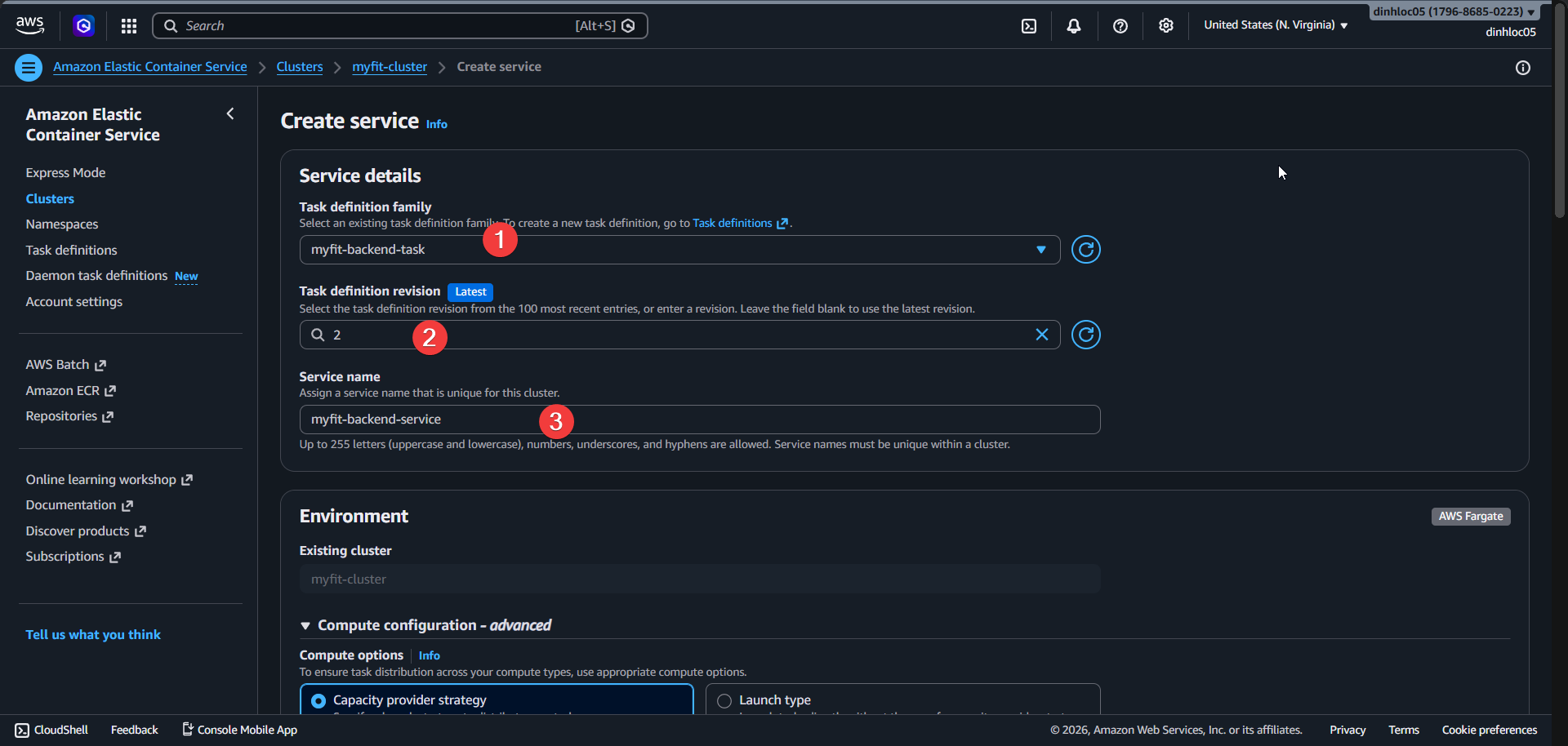
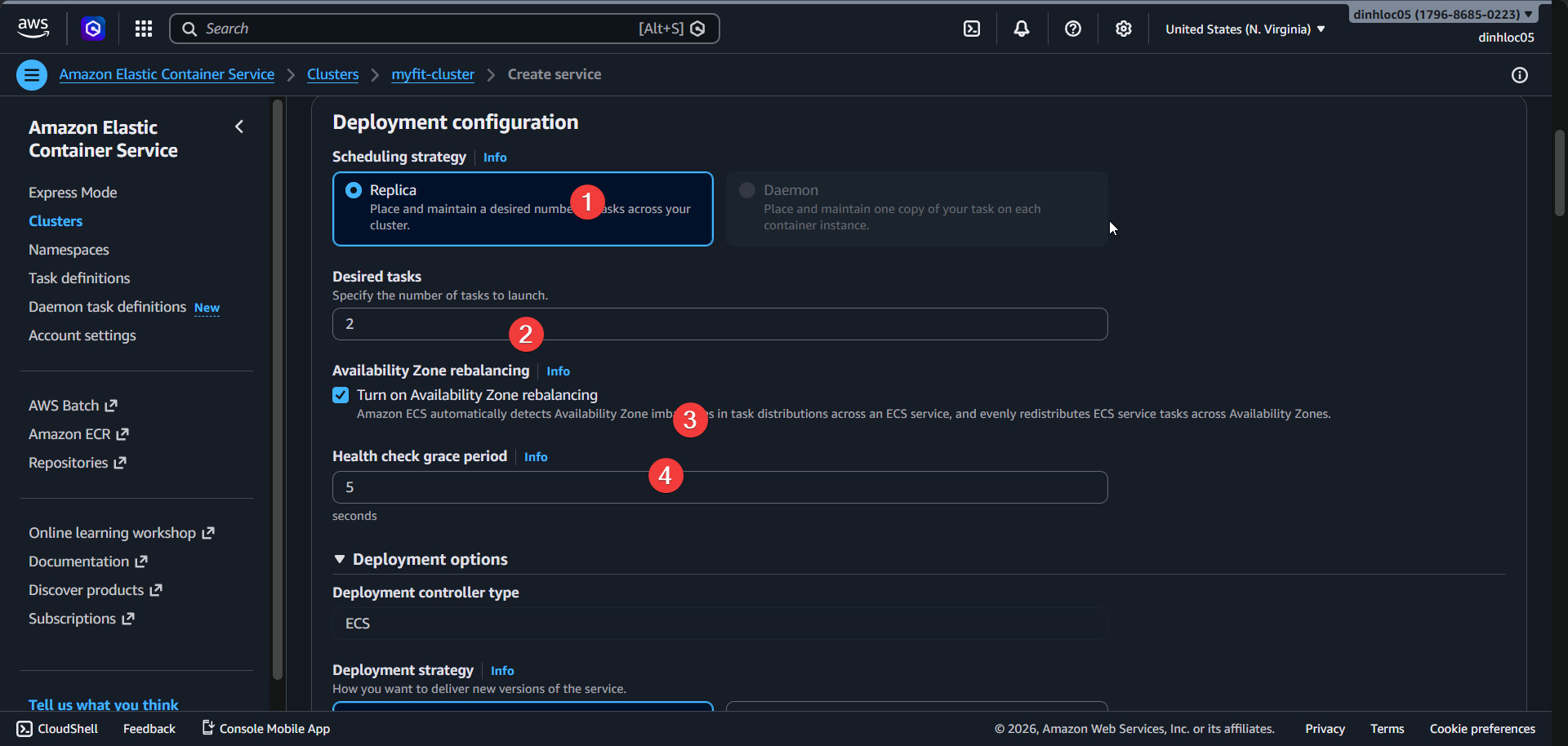
Select Service type:
REPLICA.Enter Desired tasks:
2.
Select VPC:
<your-vpc-id>.Select subnet
<your-subnet-id-1>.Select subnet
<your-subnet-id-2>.Remove default security group.
Select security group:
<backend-service-sg>.Select Public IP:
ENABLED.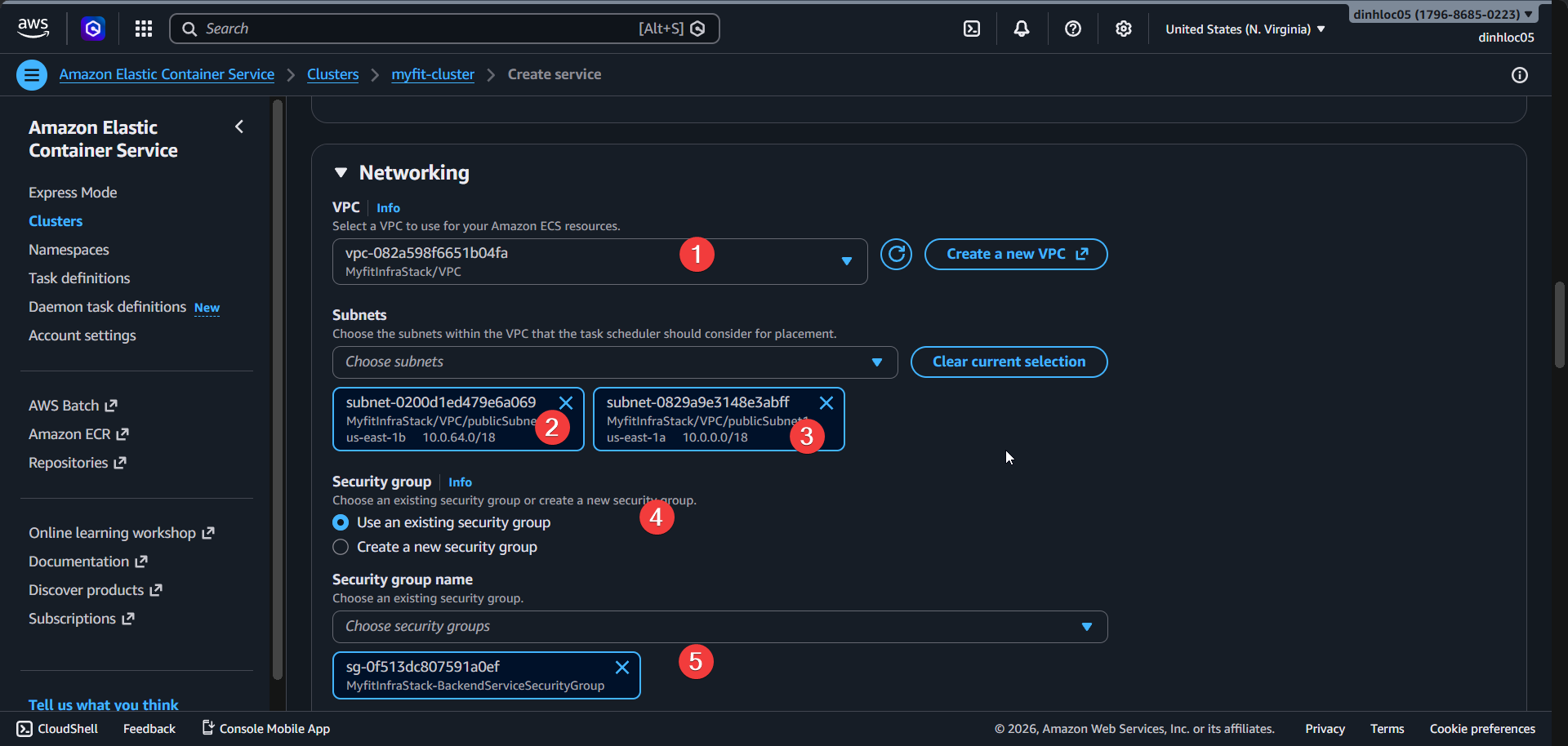
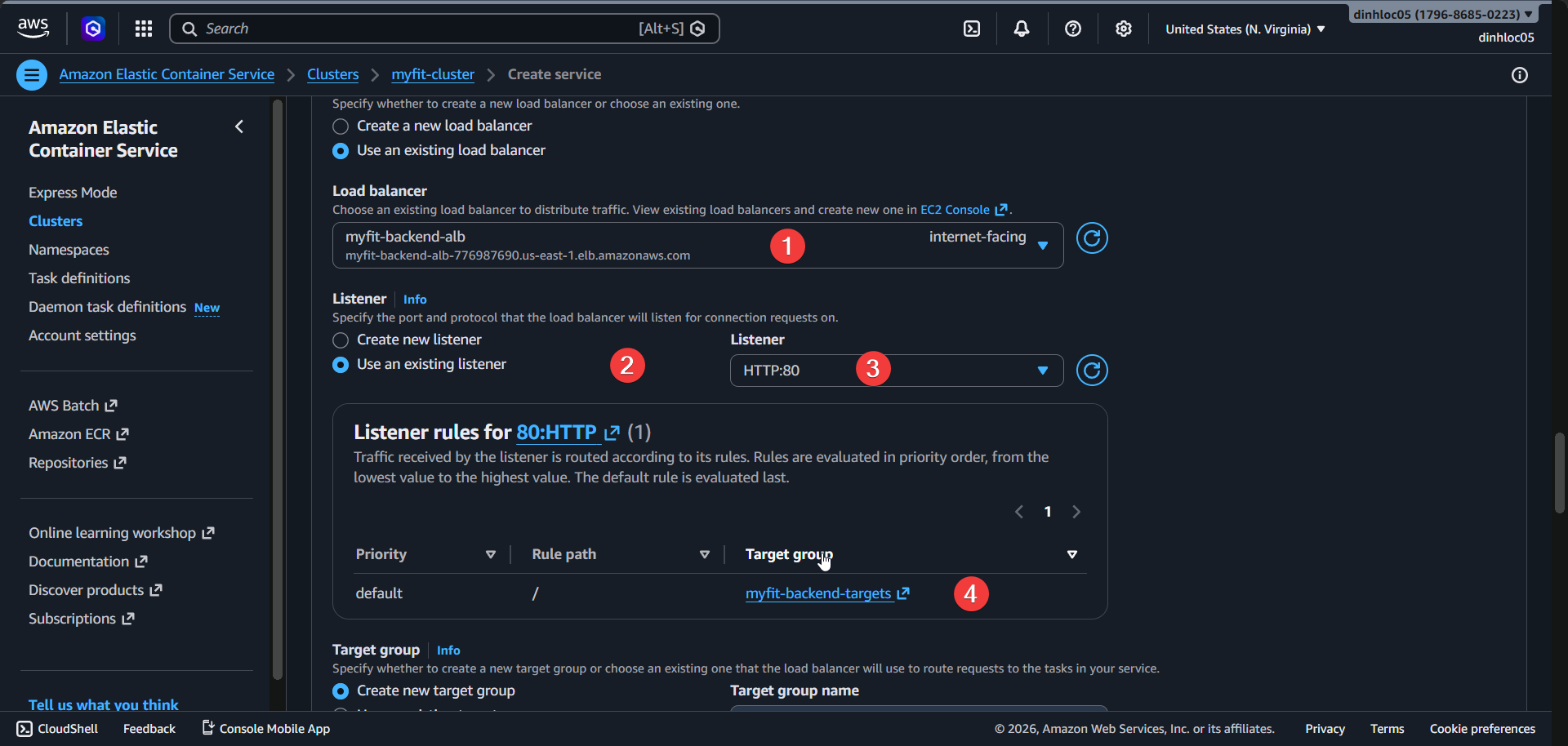
Select Load balancer type:
Application Load Balancer.Select Use existing load balancer:
Yes.Select Load balancer:
<your-alb-name>.Select Listener:
HTTP:80.Select Target group:
<your-target-group-name>.Enter Health check grace period:
180.Select Container name:
web.Select Container port:
8080.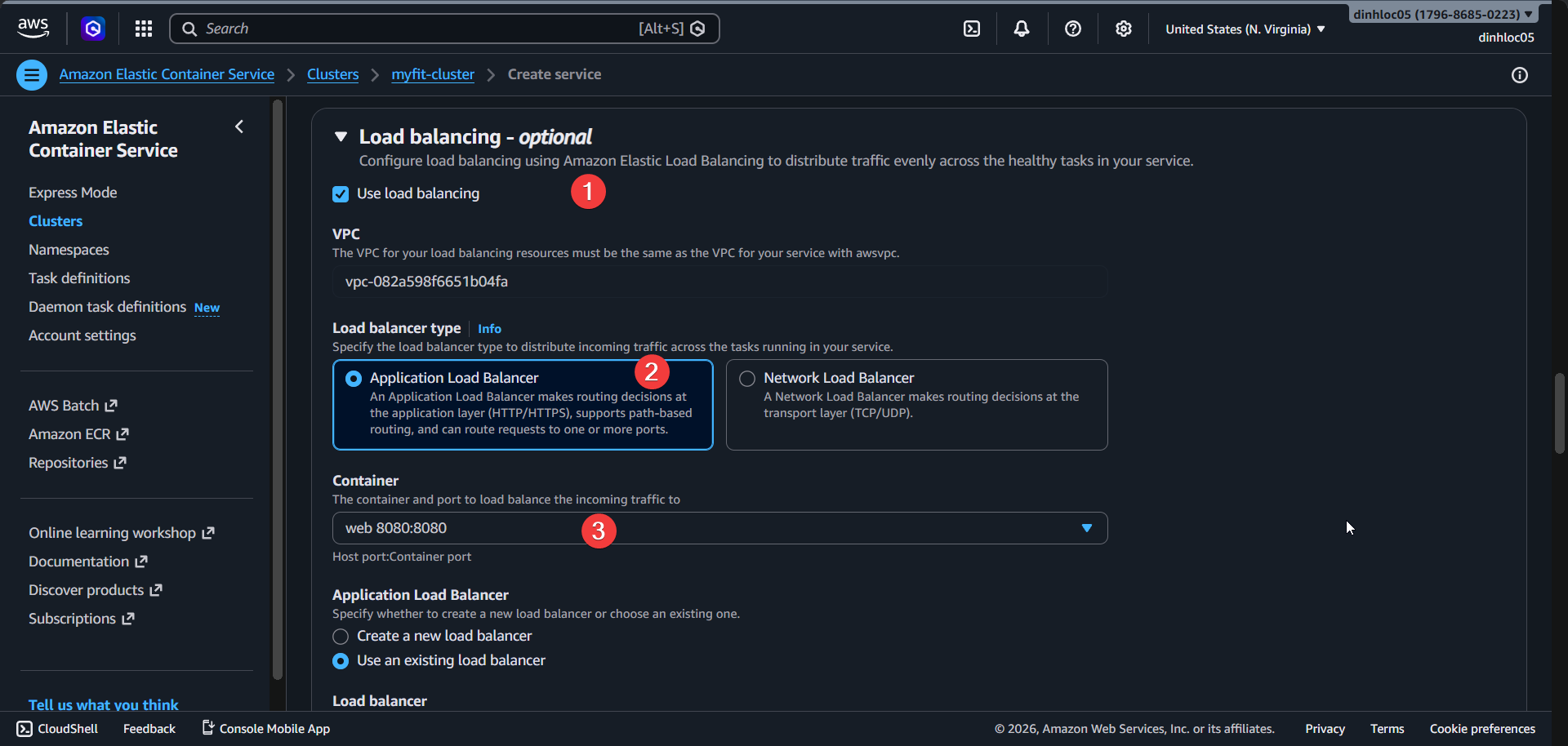
Use default listenner.
4. Configure ECS service auto scaling
Enable Service auto scaling.
Enter Minimum task count:
1.Enter Maximum task count:
4.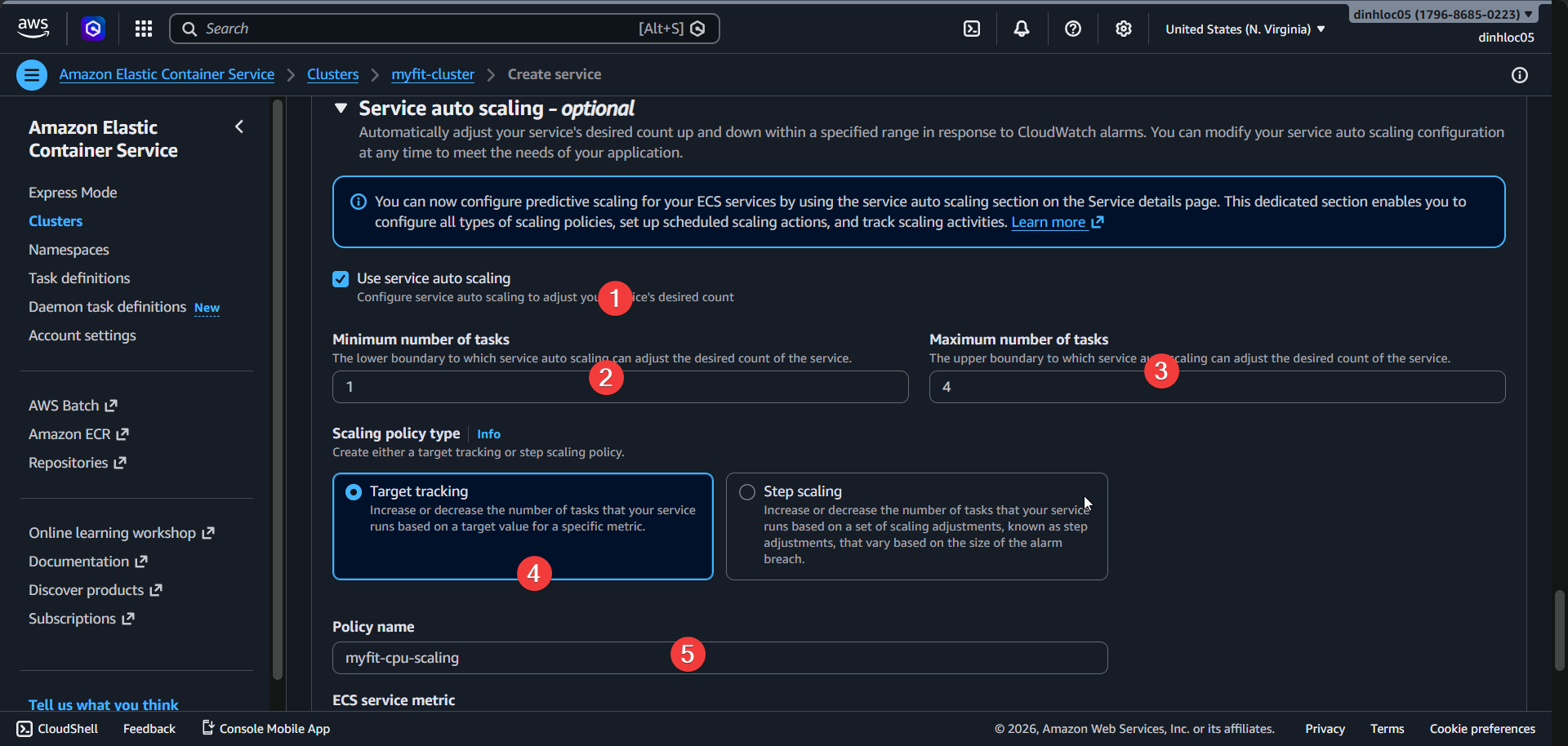
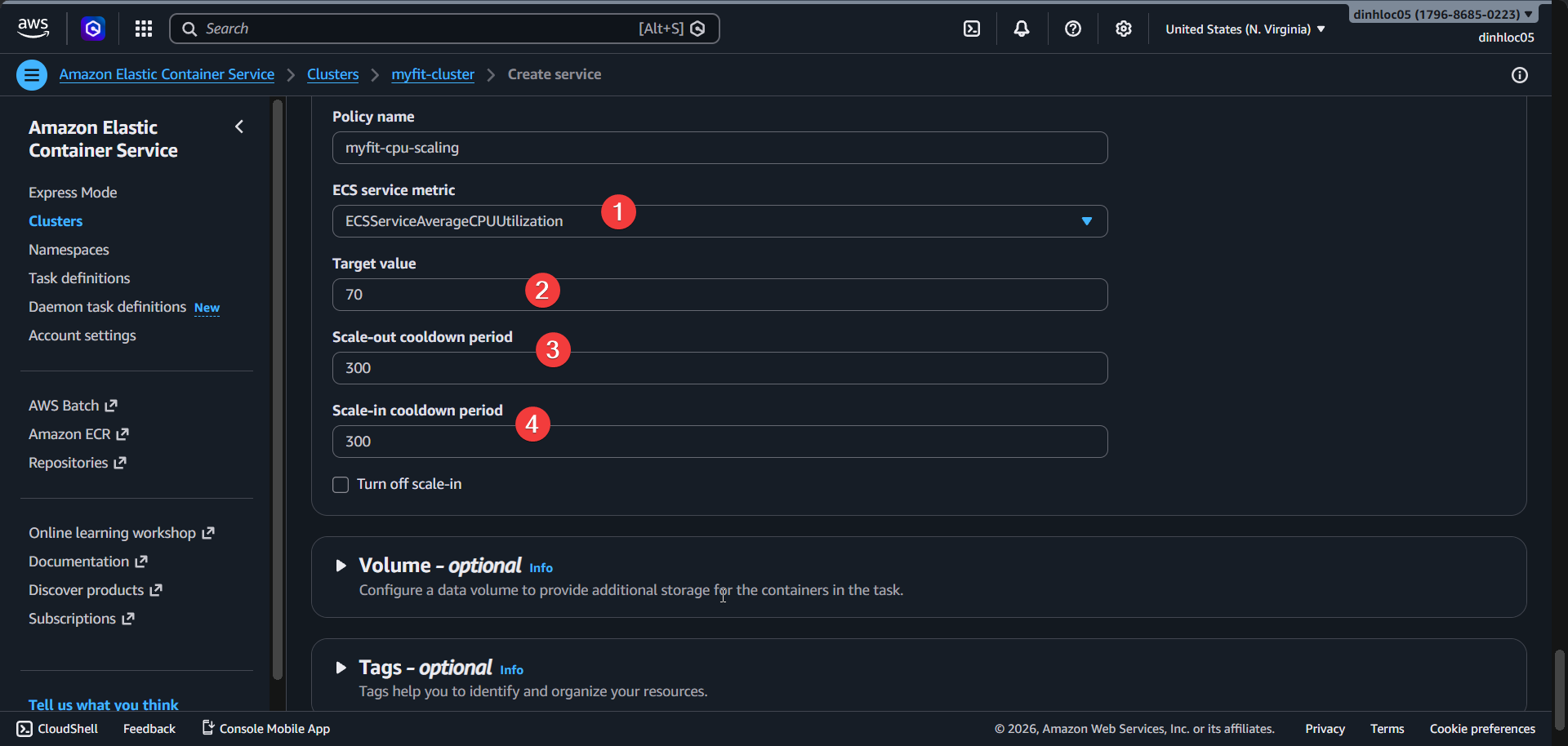
Create Target tracking policy.
Enter Policy metric:
ECSServiceAverageCPUUtilization.Enter Target value:
70.Enter Scale-out cooldown:
300.Enter Scale-in cooldown:
300.
5. Create service and verify
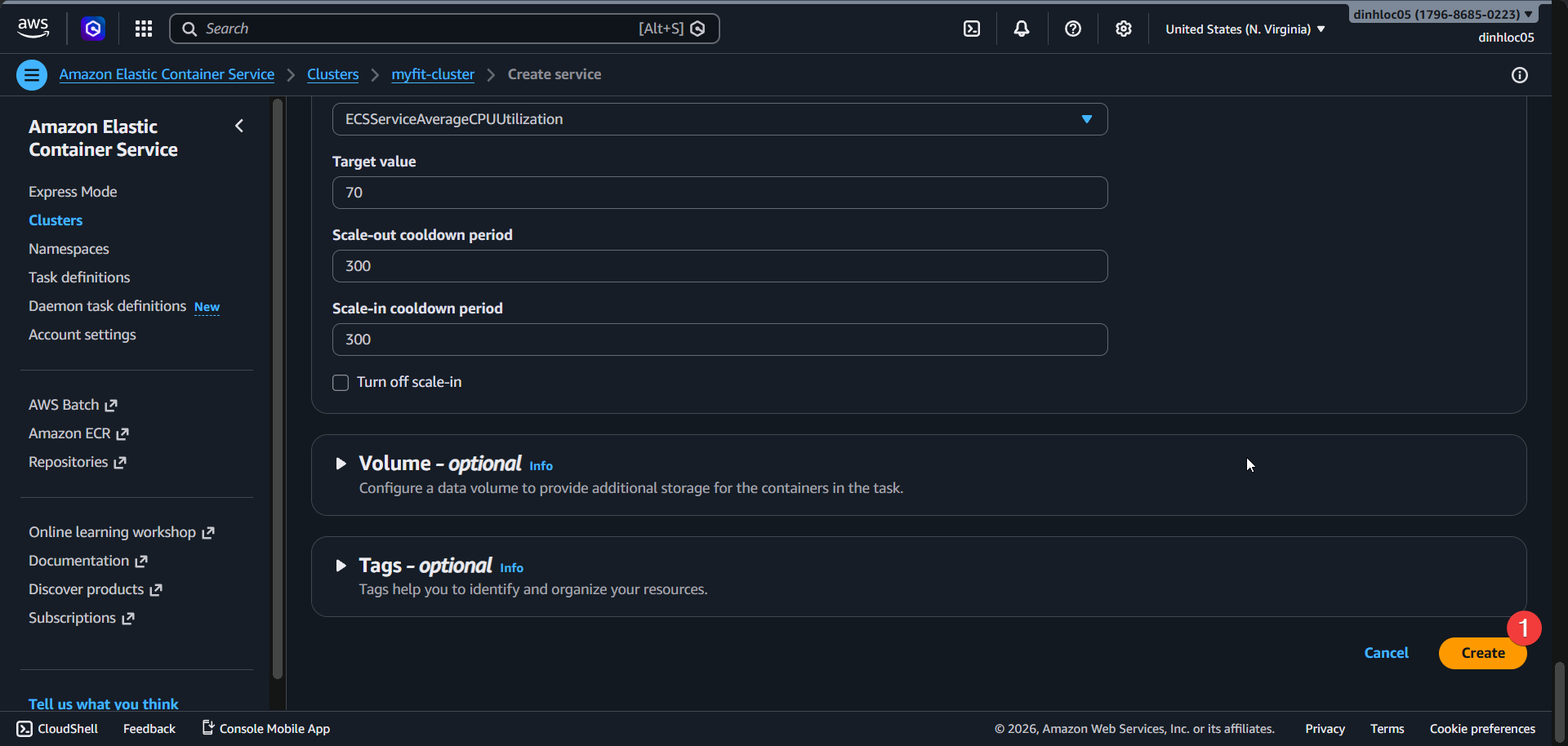
- Review all fields.
- Click
Create. - Confirm ECS service status:
ACTIVE. - Confirm Desired count:
2.
6. Phase completion checklist
- Verify that the target group protocol/port is
HTTP:80and the health check path is/test/health. - Verify that the ALB scheme is
internet-facing, the listener isHTTP:80, and the default action forwards to the target group. - Verify that the ECS service launch type is
FARGATE, the scheduling strategy isREPLICA, and the desired count is2. - Verify that the ECS service network uses the correct subnets, security groups, and has public IP set to
ENABLED. - Verify that the ECS service load balancer mapping uses container
webon port8080with the target group. - Notice that later update in CDK change that auto scaling min/max is
2/4and the CPU target policy is70with cooldown60/60.