Phase 2 - RDS
1. Create DB subnet group
Open RDS Console -
Subnet groups-Create DB subnet group.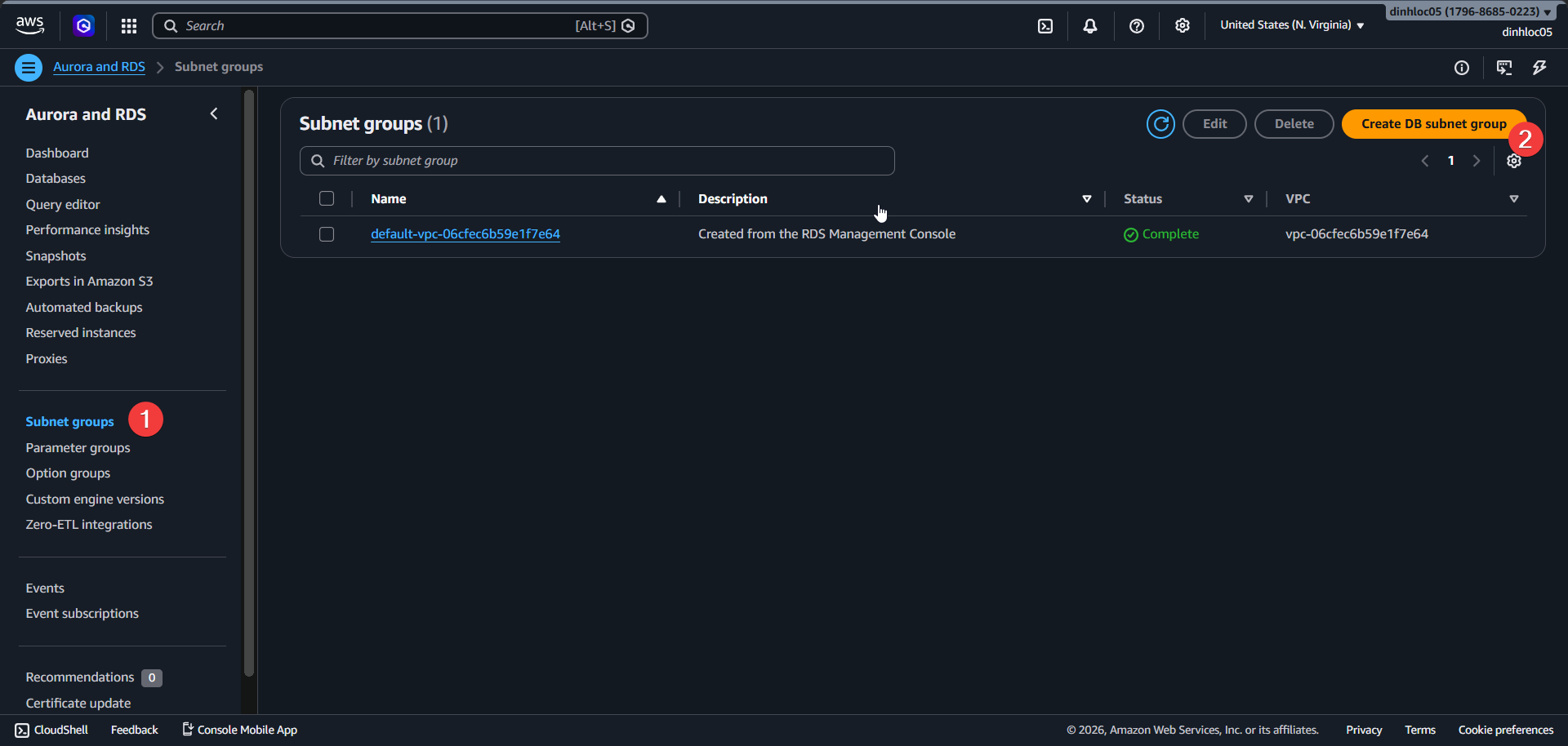
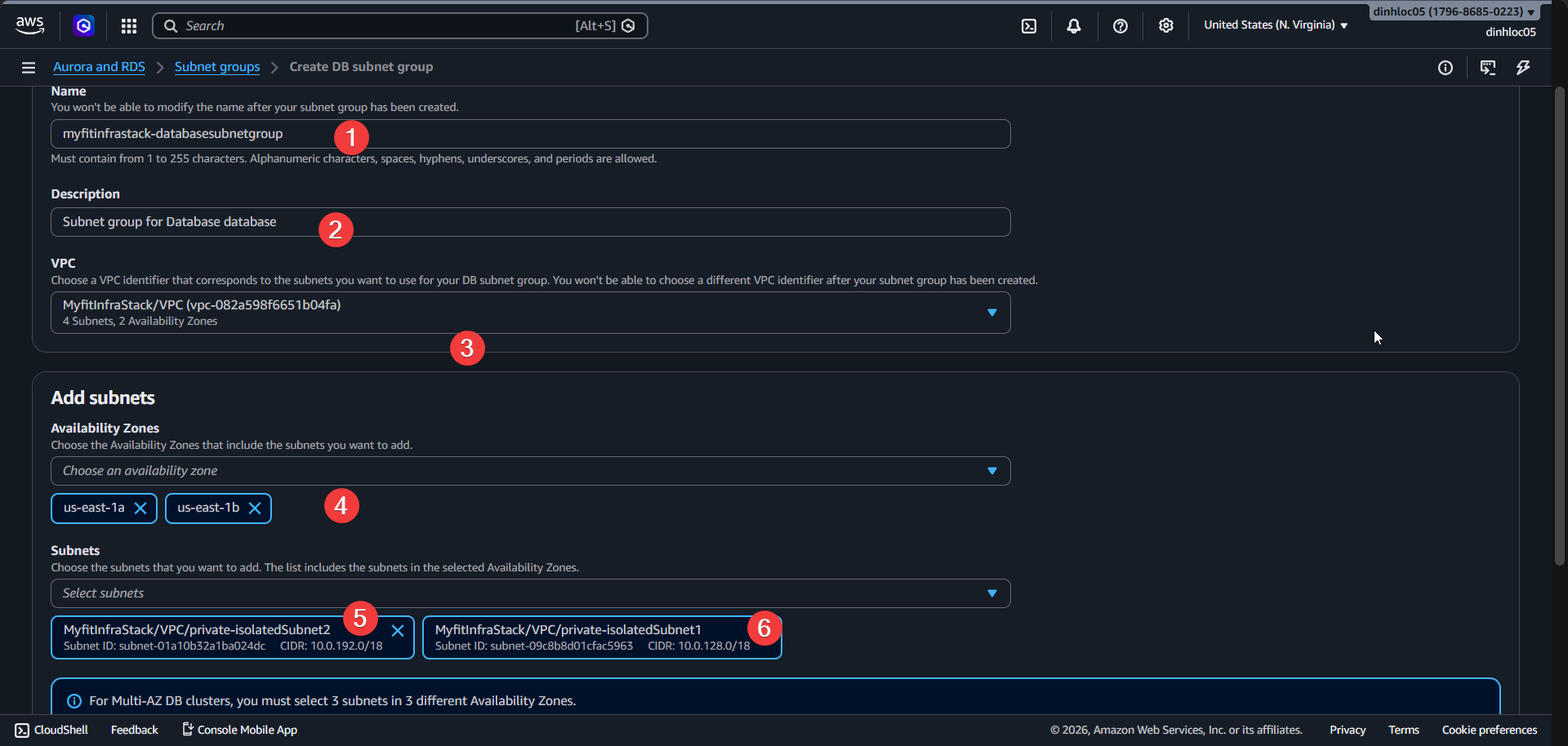
Enter Name:
<your-db-subnet-group-name>.Enter Description:
<your-db-subnet-group-description>.Select VPC:
your-vpc-id.Select 2 Az that have 2 isolated subnet.
Seclect 2 isolated subnet:
your-isolated-subnet-1-idandyour-isolated-subnet-2-id.
2. Create PostgreSQL RDS instance
Open RDS Console -
Databases-Create database.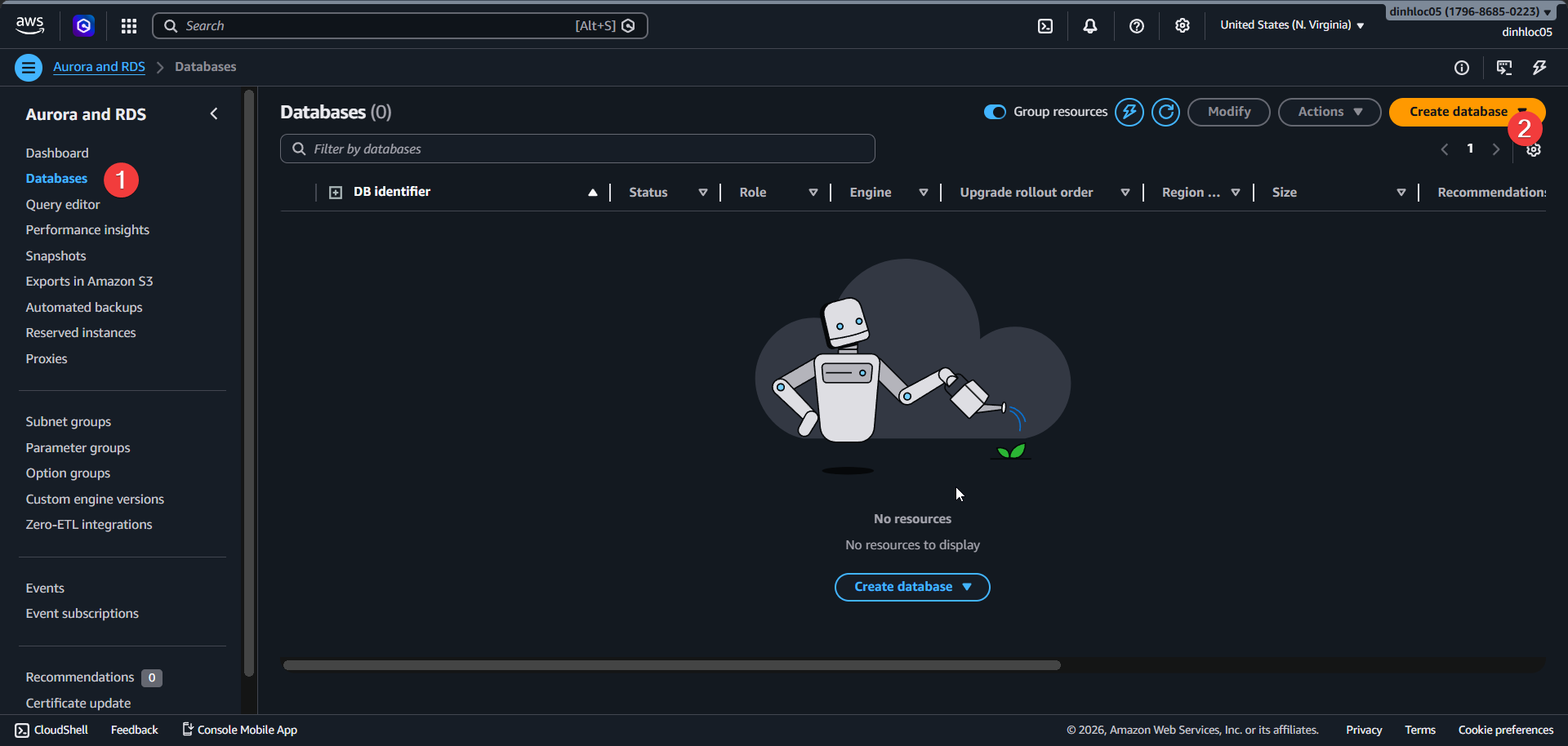
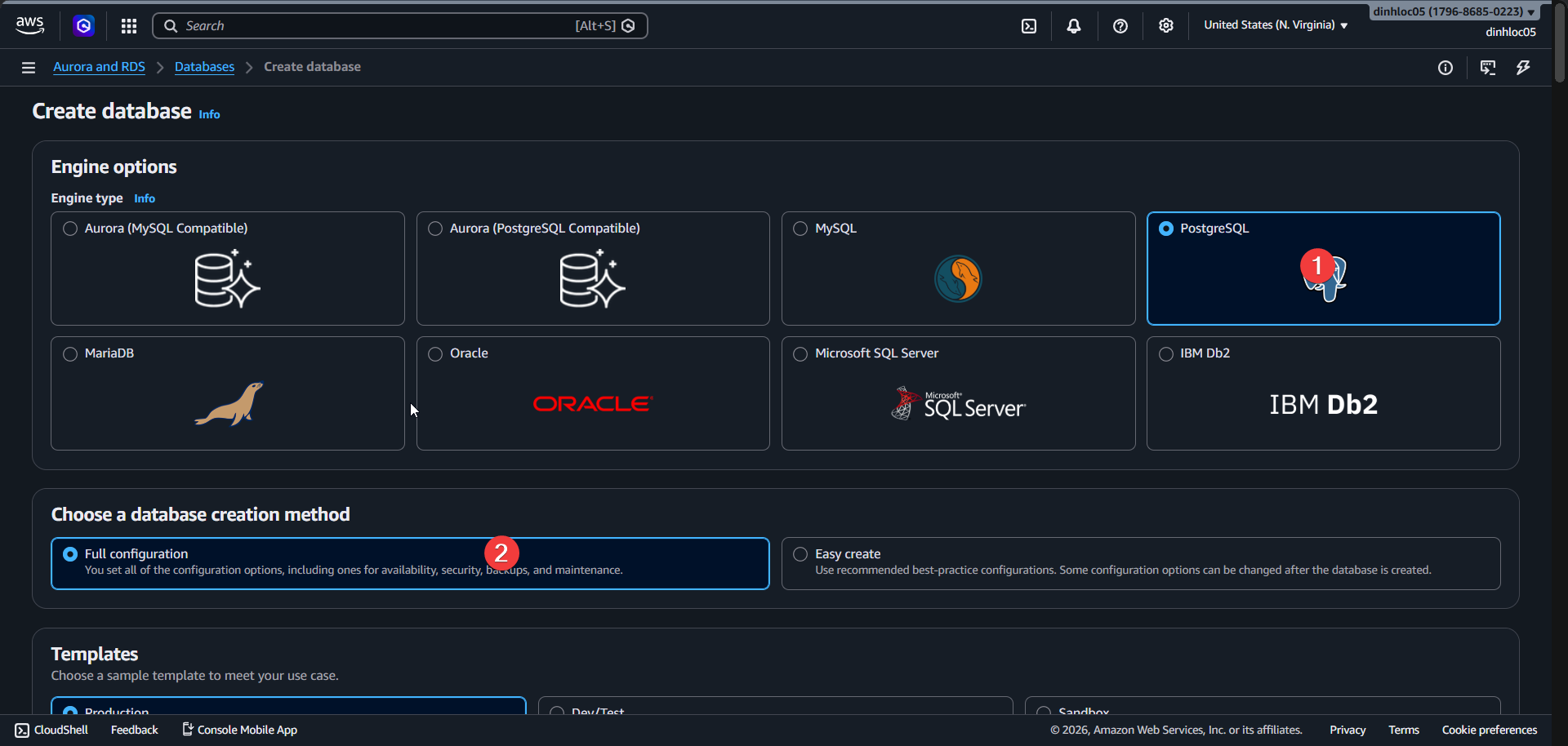
Select Engine type:
PostgreSQL.Select Full Configuration.
Pick
Multi AZ 2 instance.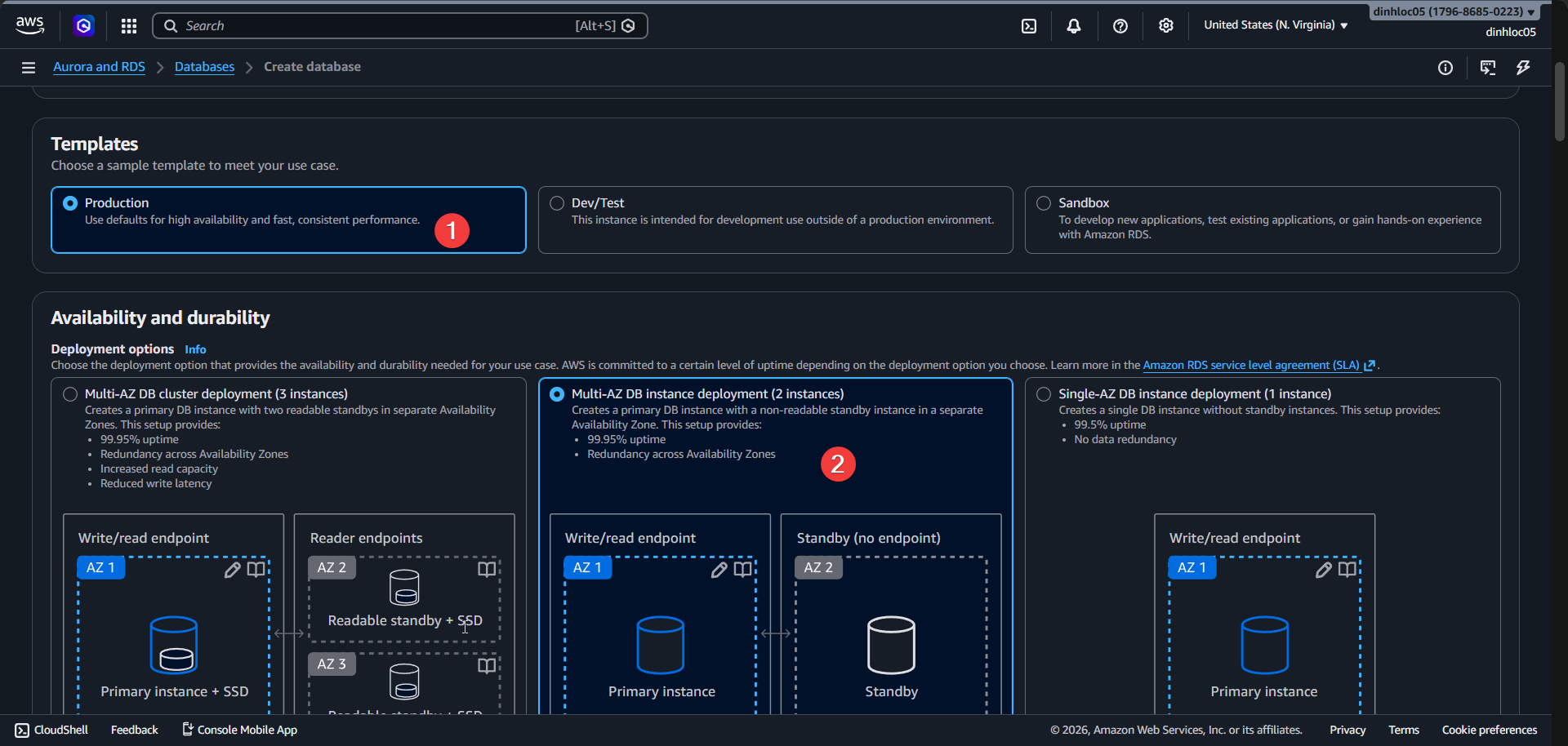
Select VPC and Subnetgroup id.
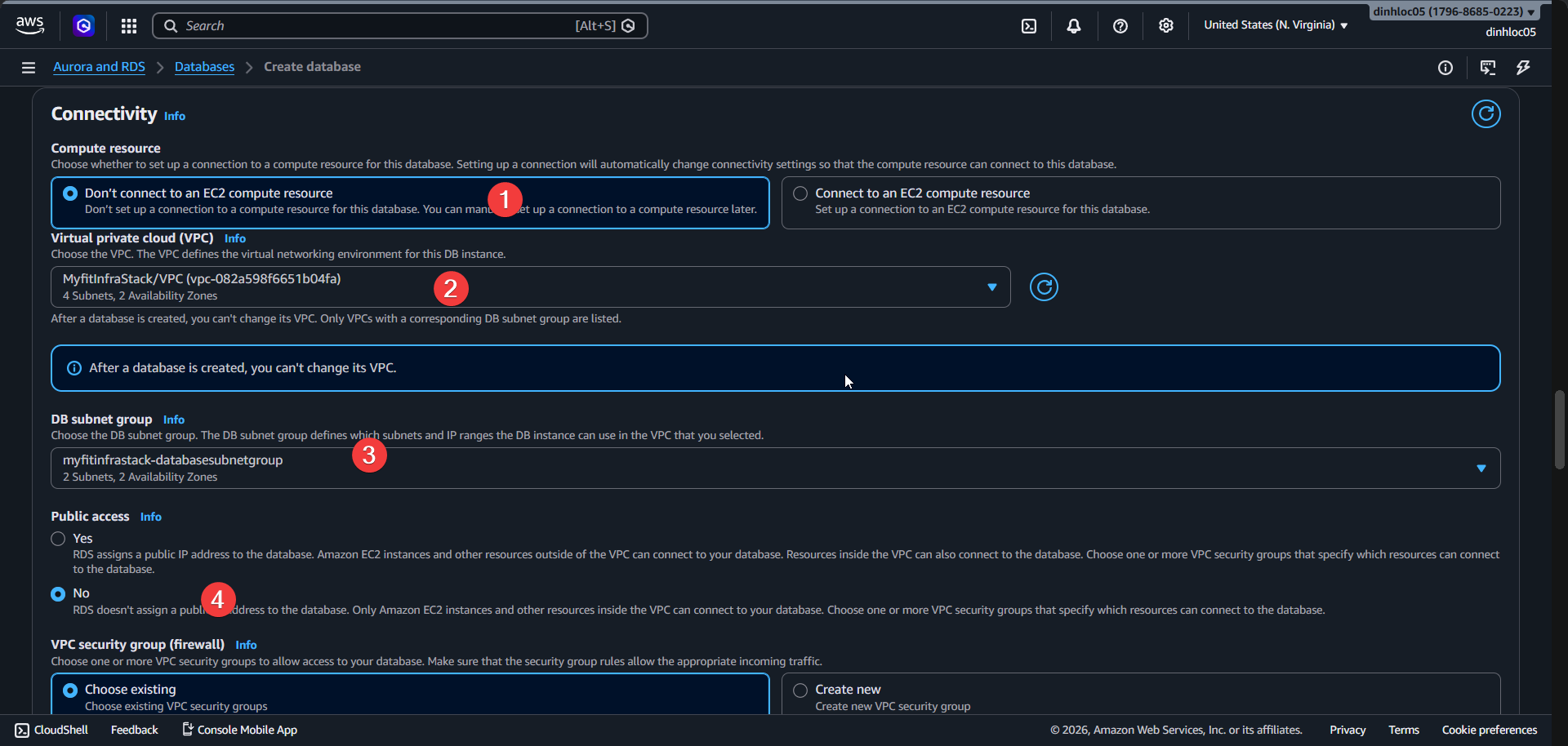
Select Vpc security group:
<your-database-security-group-id>.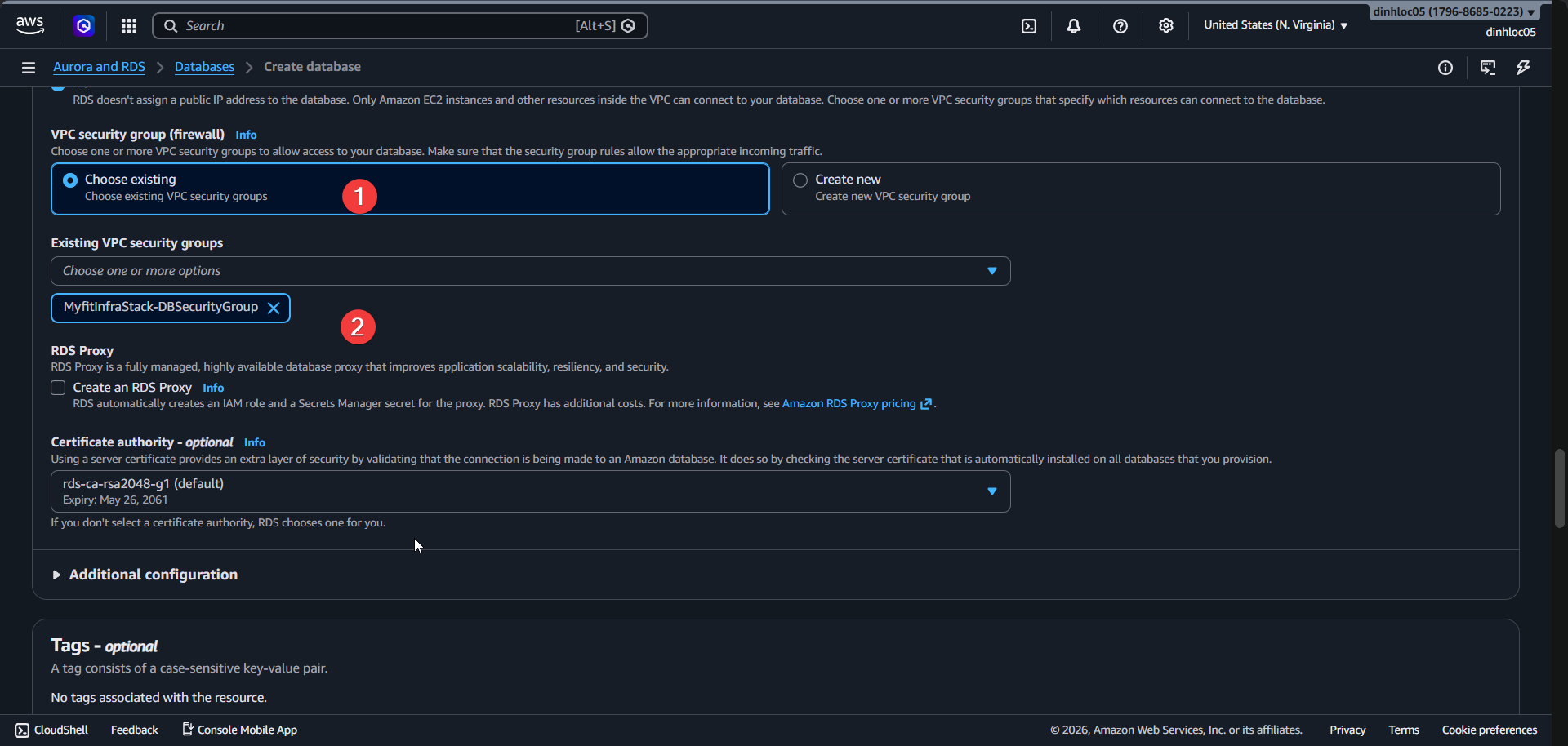
Select Engine version:
15.14.Enter DB instance identifier:
<your-db-instance-identifier>.Enter Master username:
postgres.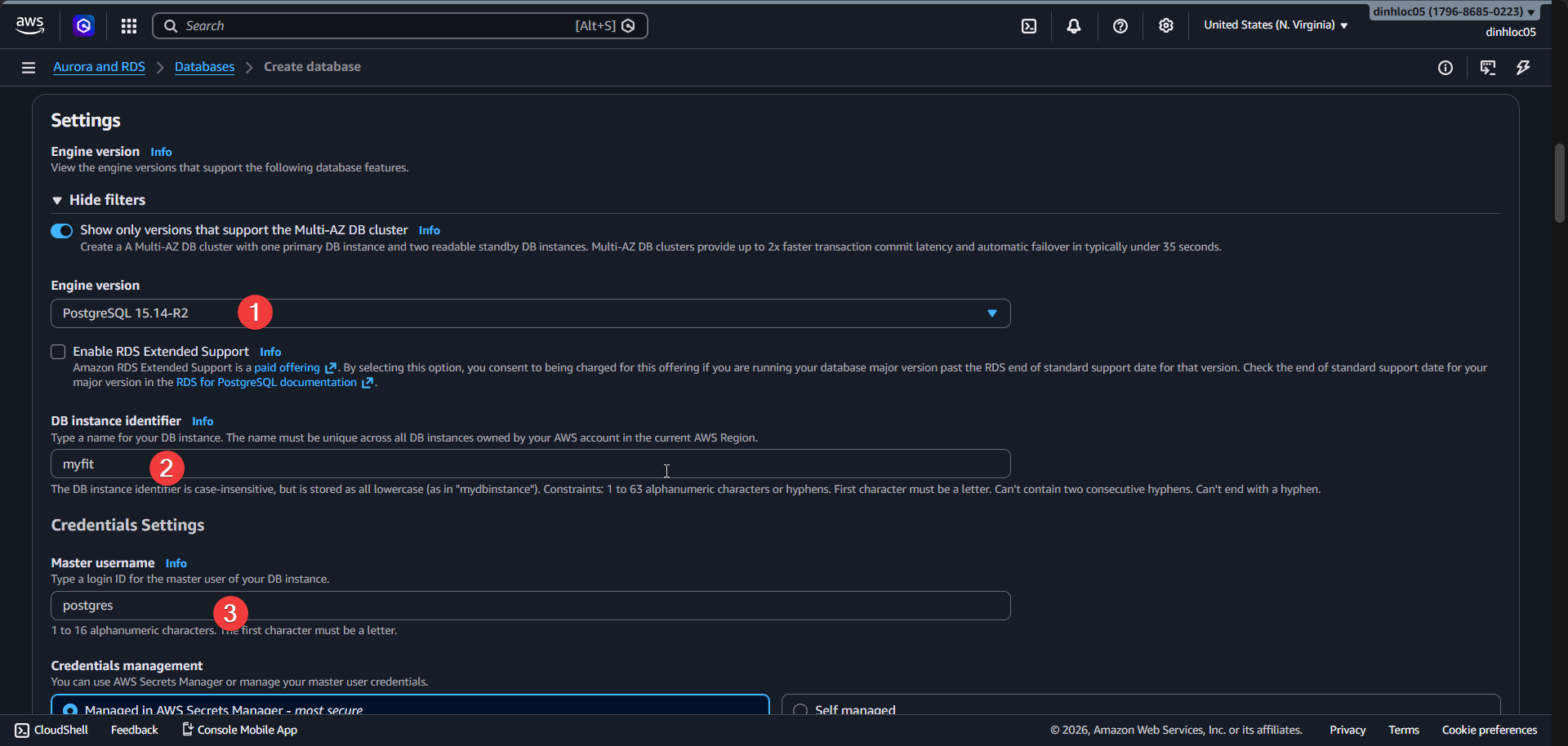
Click
Manage in AWS Secret Manager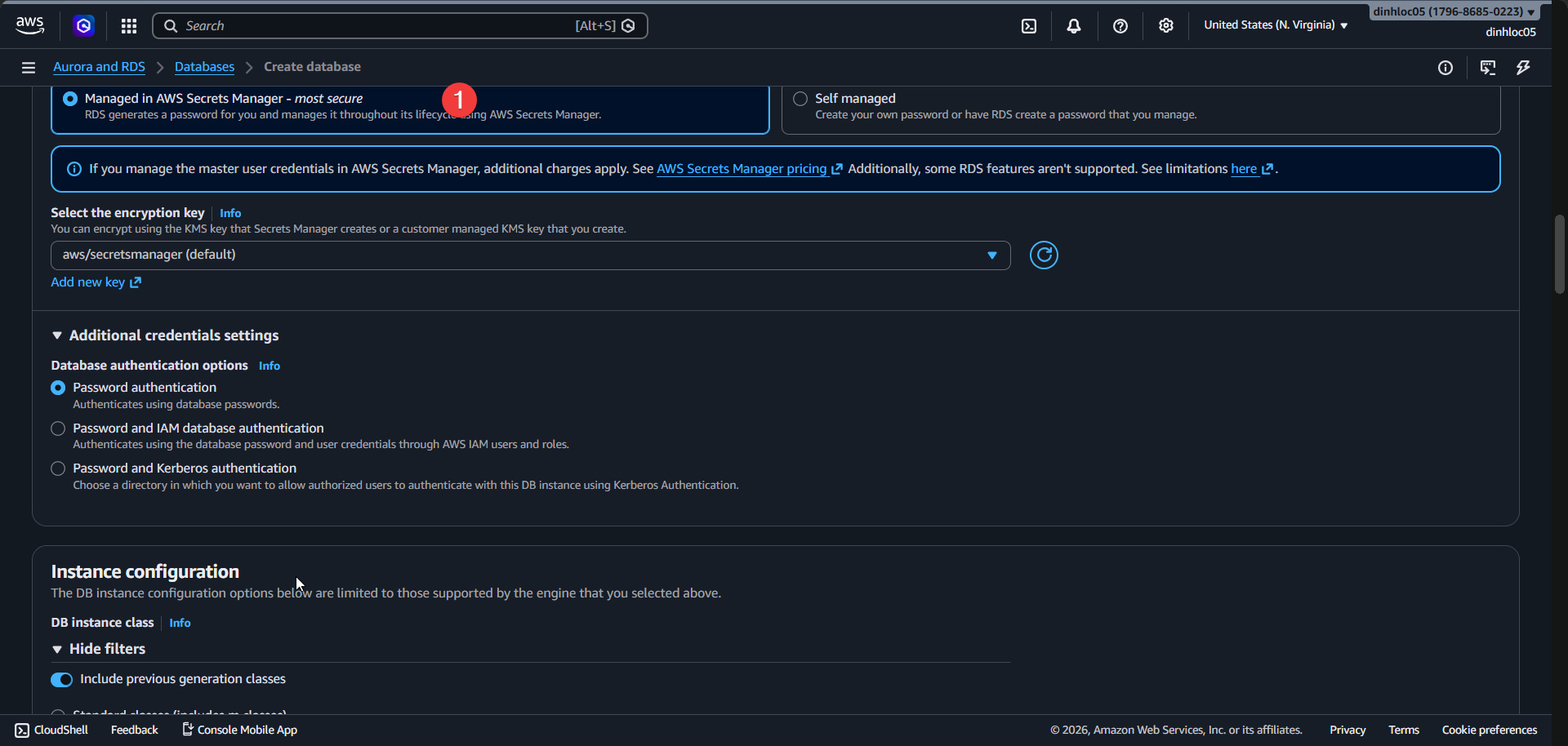
Select DB instance class:
db.t4g.micro.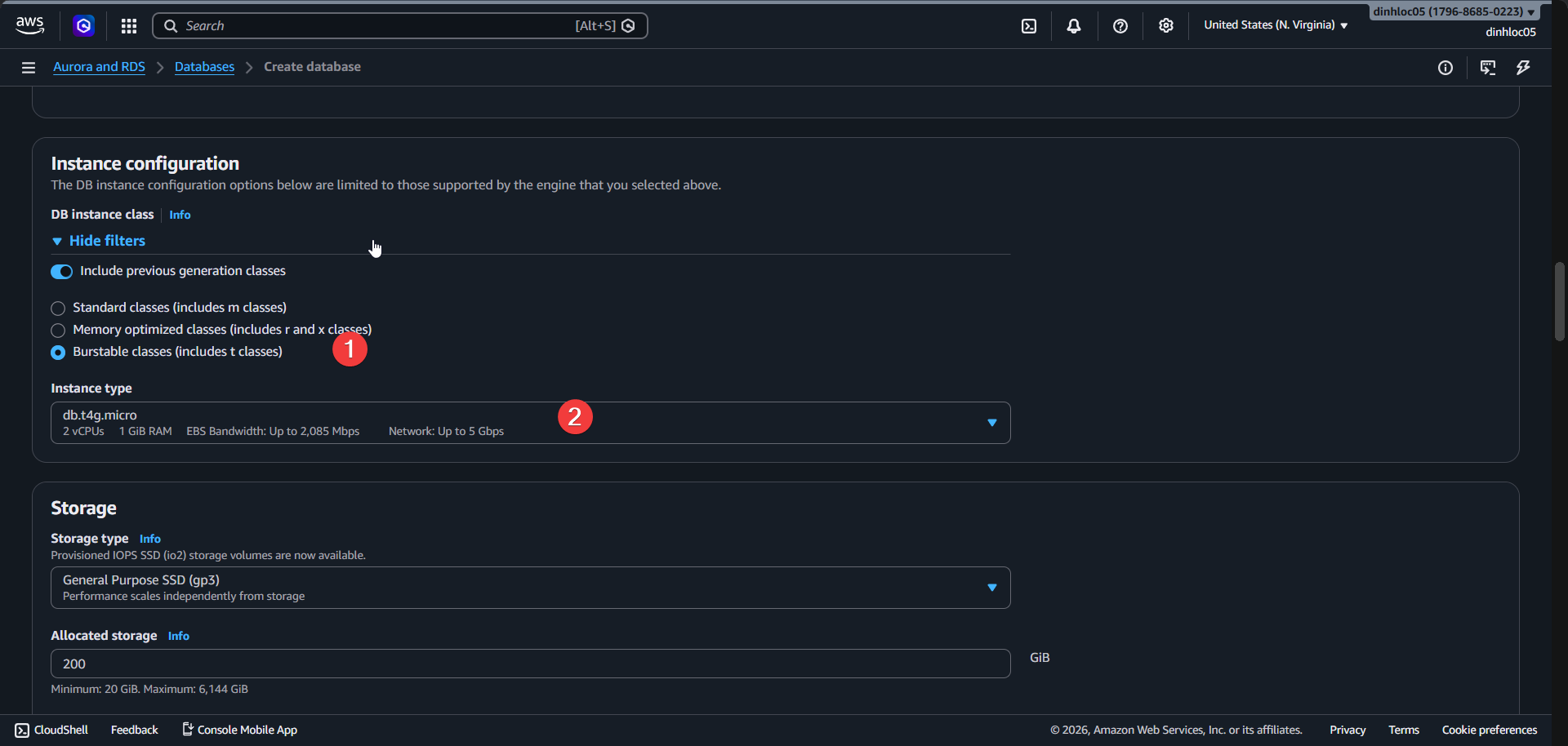
Select Storage type:
gp3.Enter Allocated storage:
20GB.Enable Storage autoscaling:
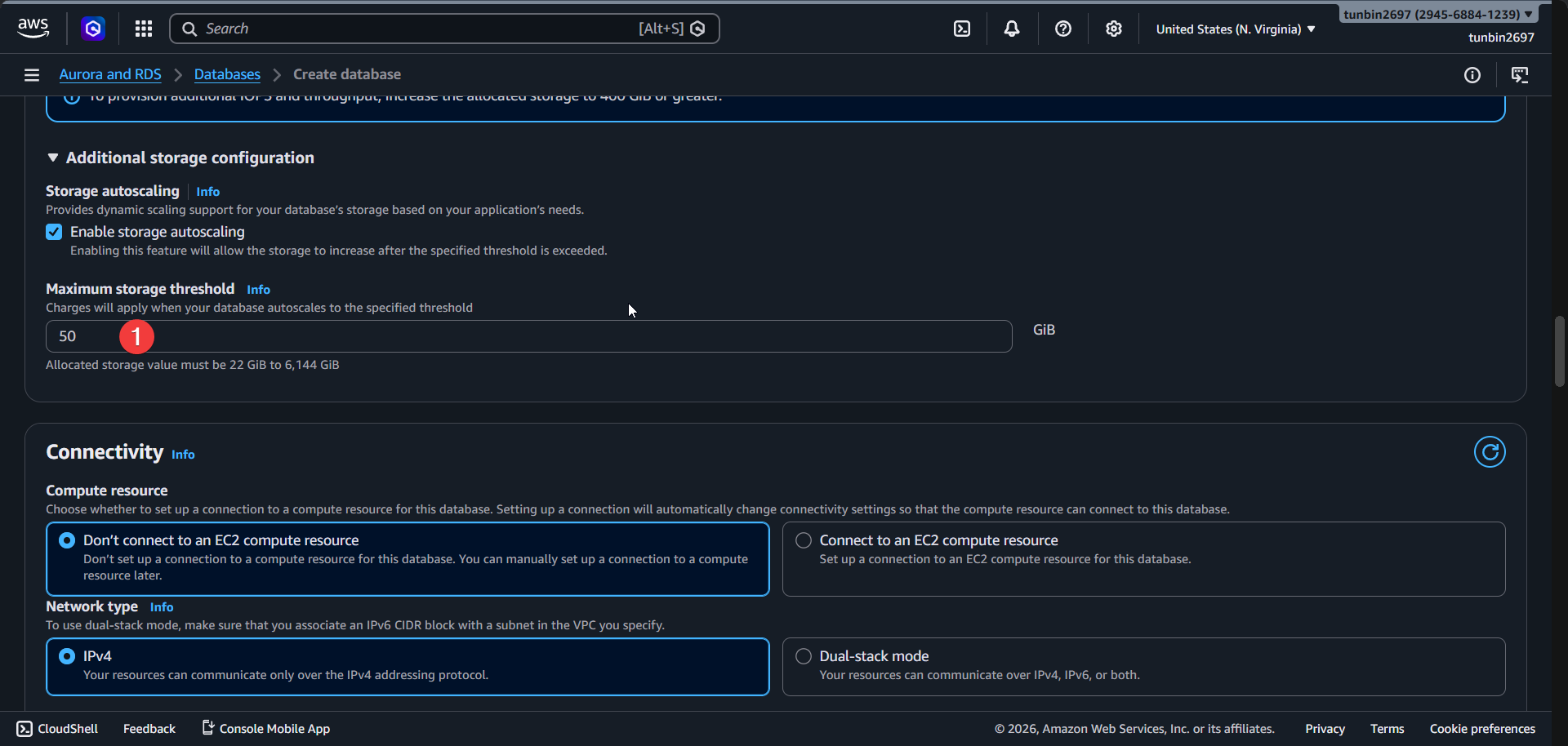
Yes.Enter Maximum storage threshold:
50GB.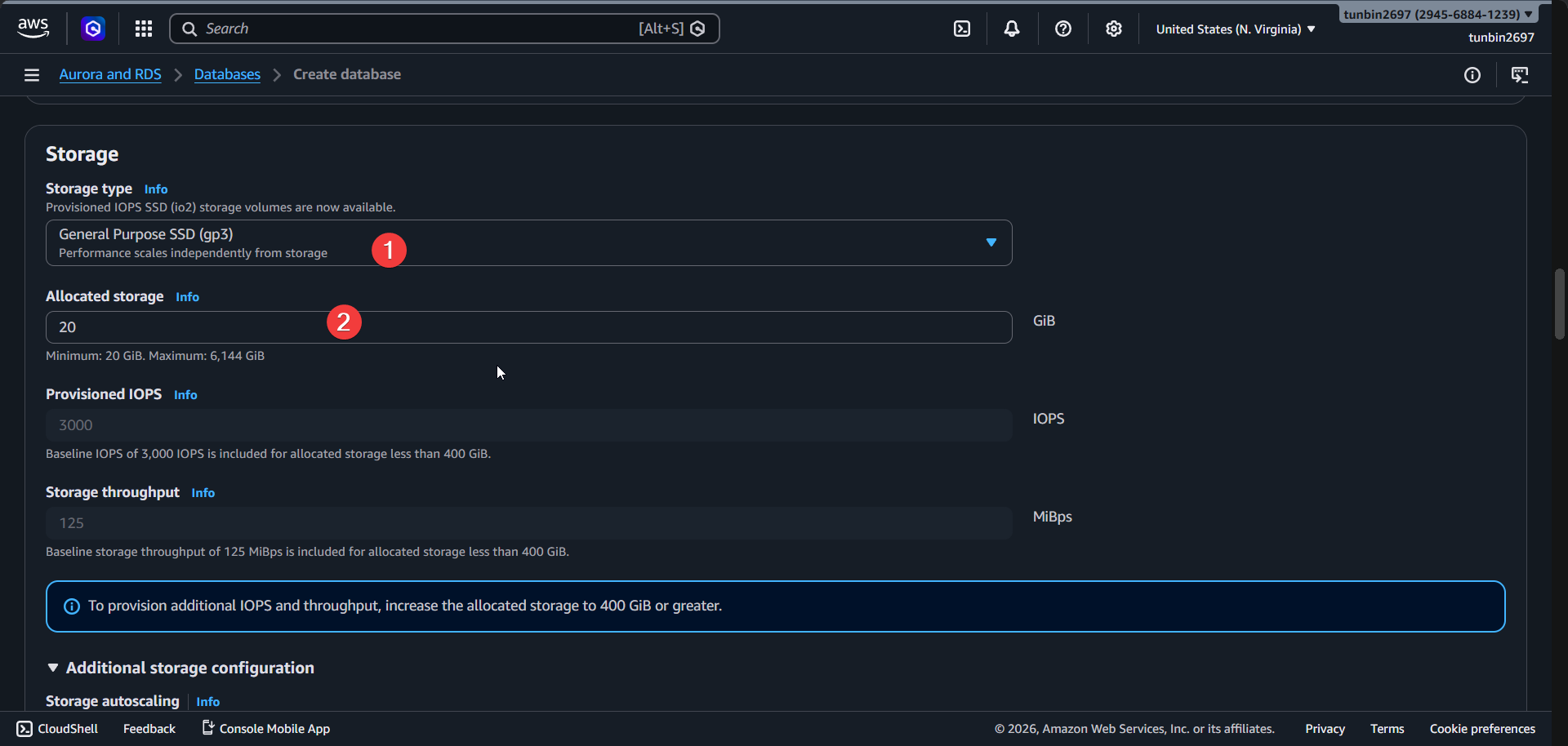
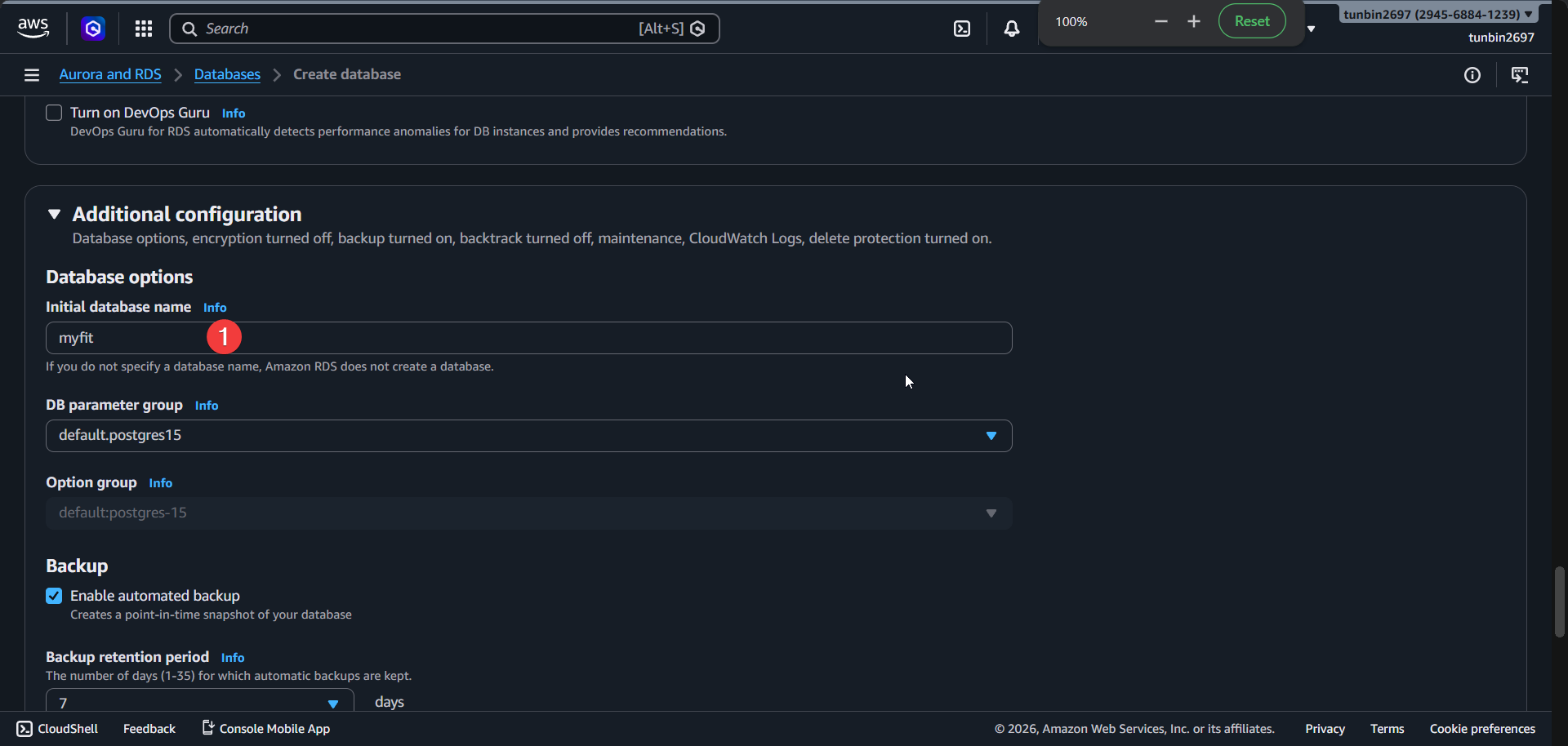
- Enter Initial database name:
myfit. - Enter Backup retention period:
7days. - Keep
Enable automated backup:enabled. - Keep
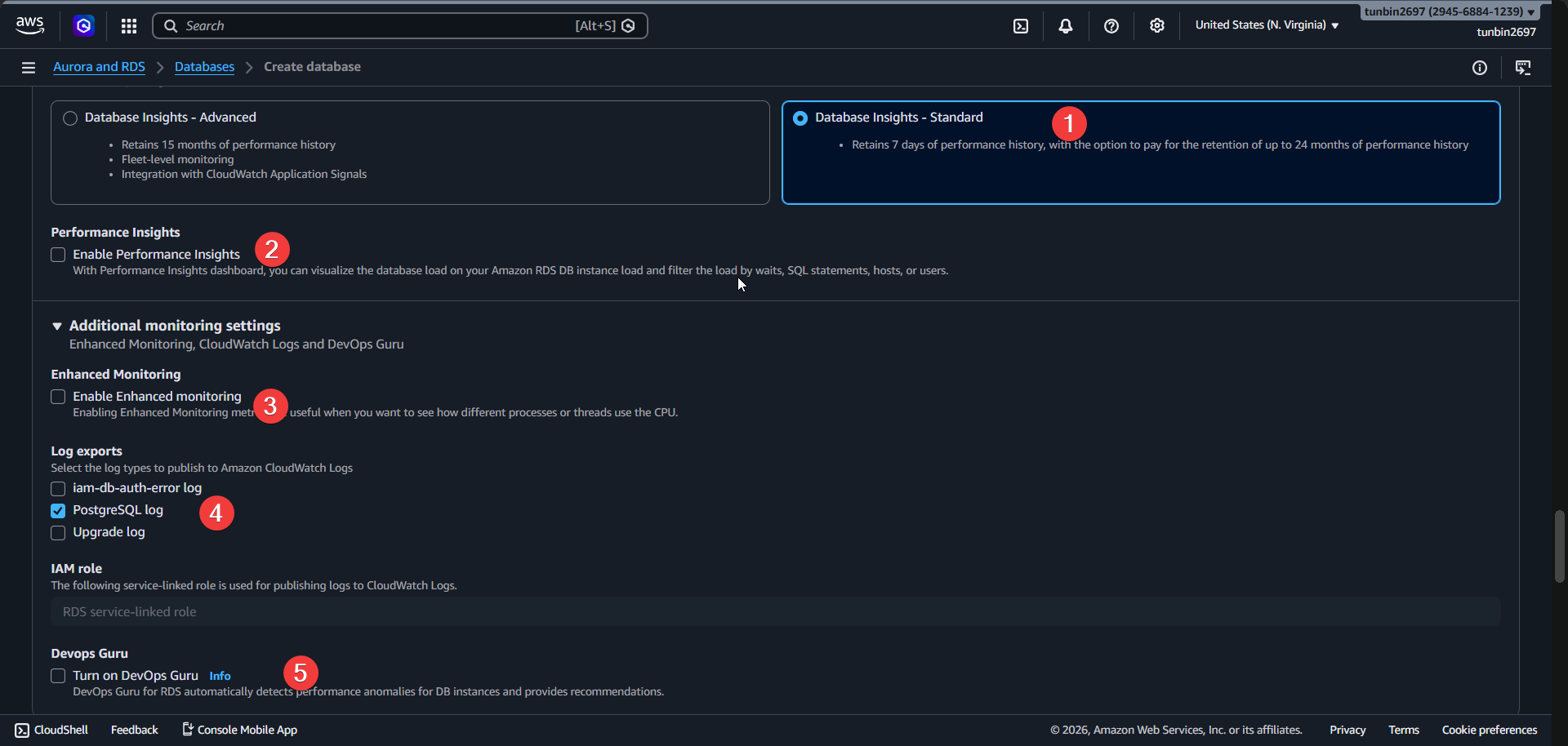
Database Insights:Standard. - Keep
Performance Insights:disabled. - Keep
Enhanced Monitoring:disabled. - Enable CloudWatch logs export:
postgresql.
- Keep
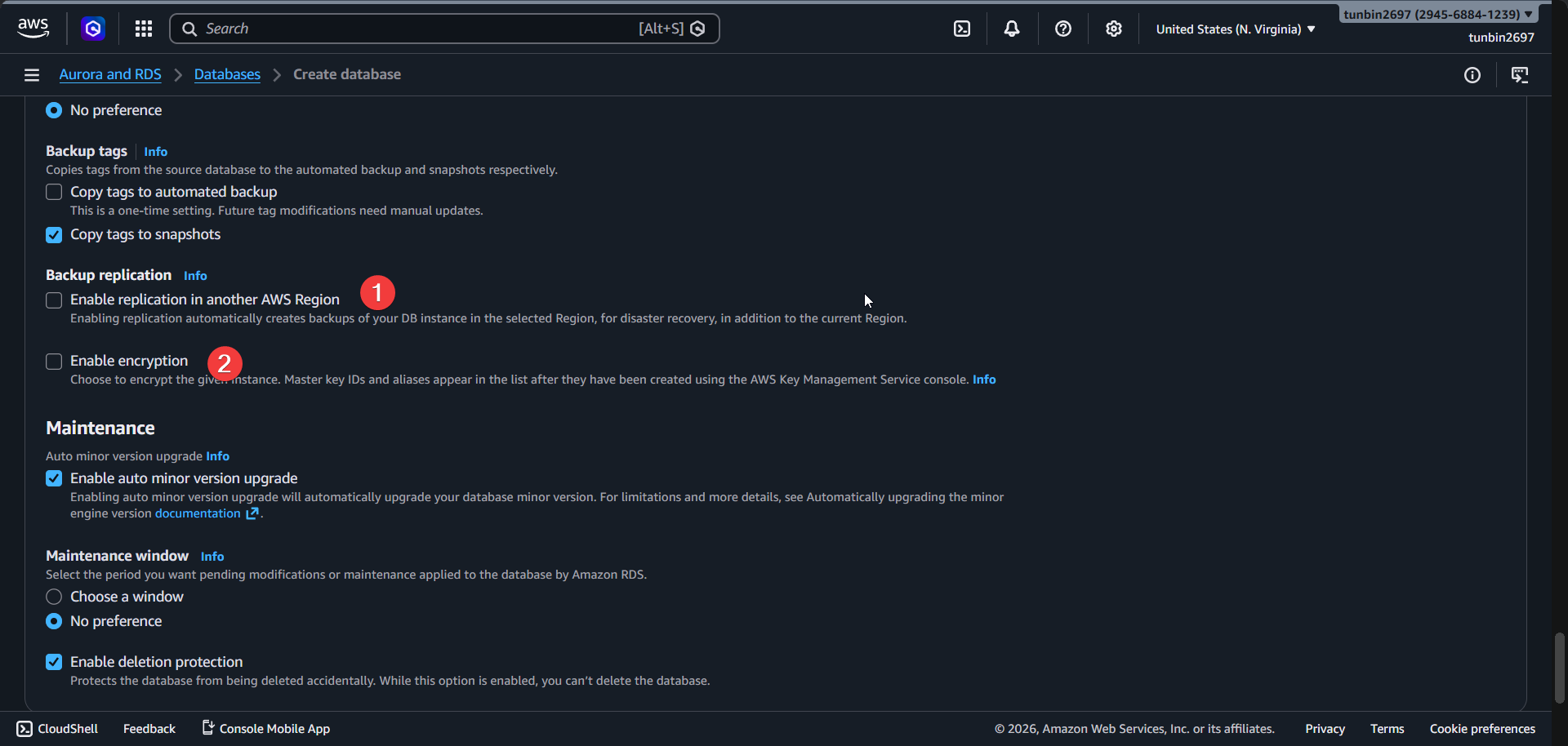
Enable replication in another AWS Region:disabled. - Keep
Enable encryption:disabled. - Keep
Enable deletion protection:enabled.
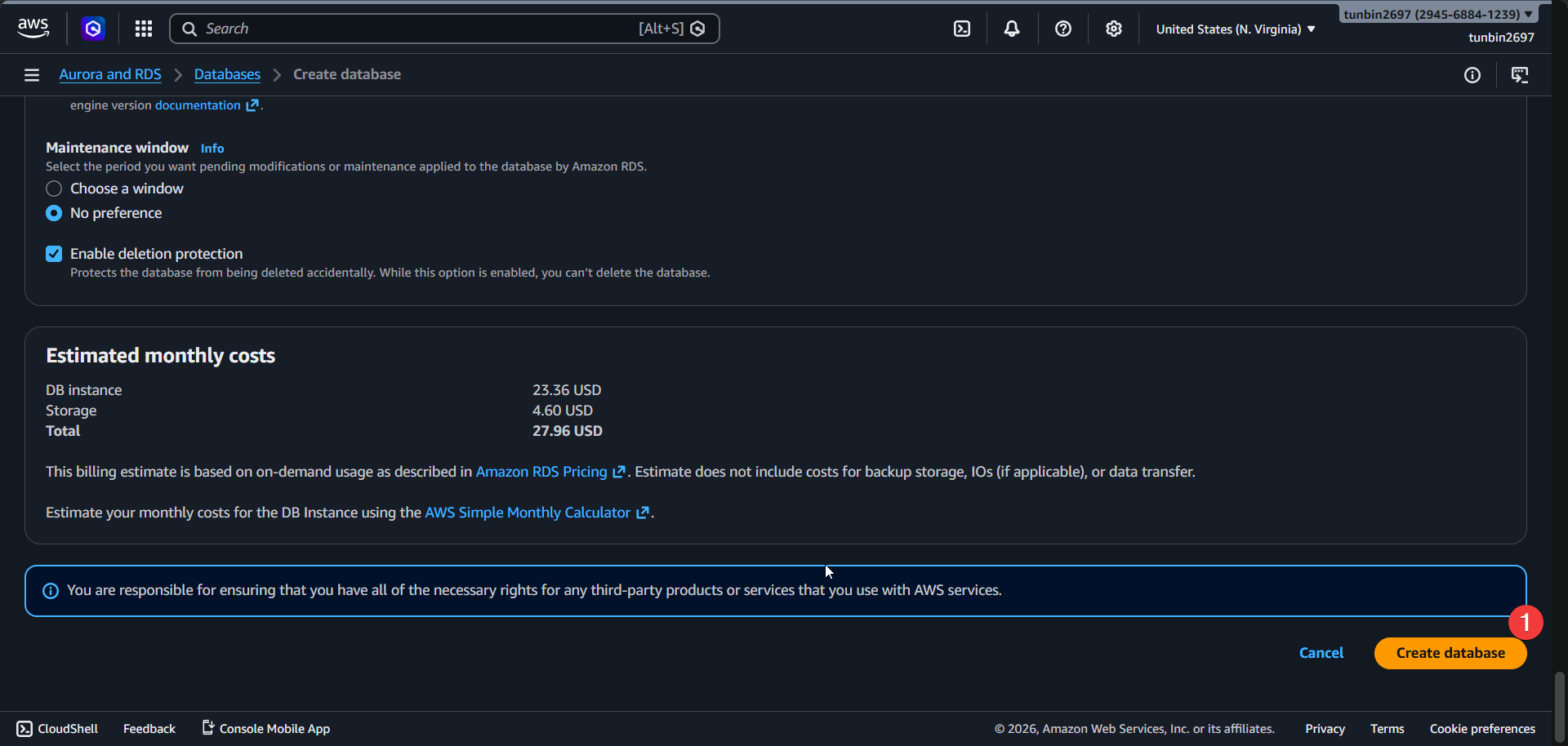
- Click
Create database.
Wait until DB instance status is
available.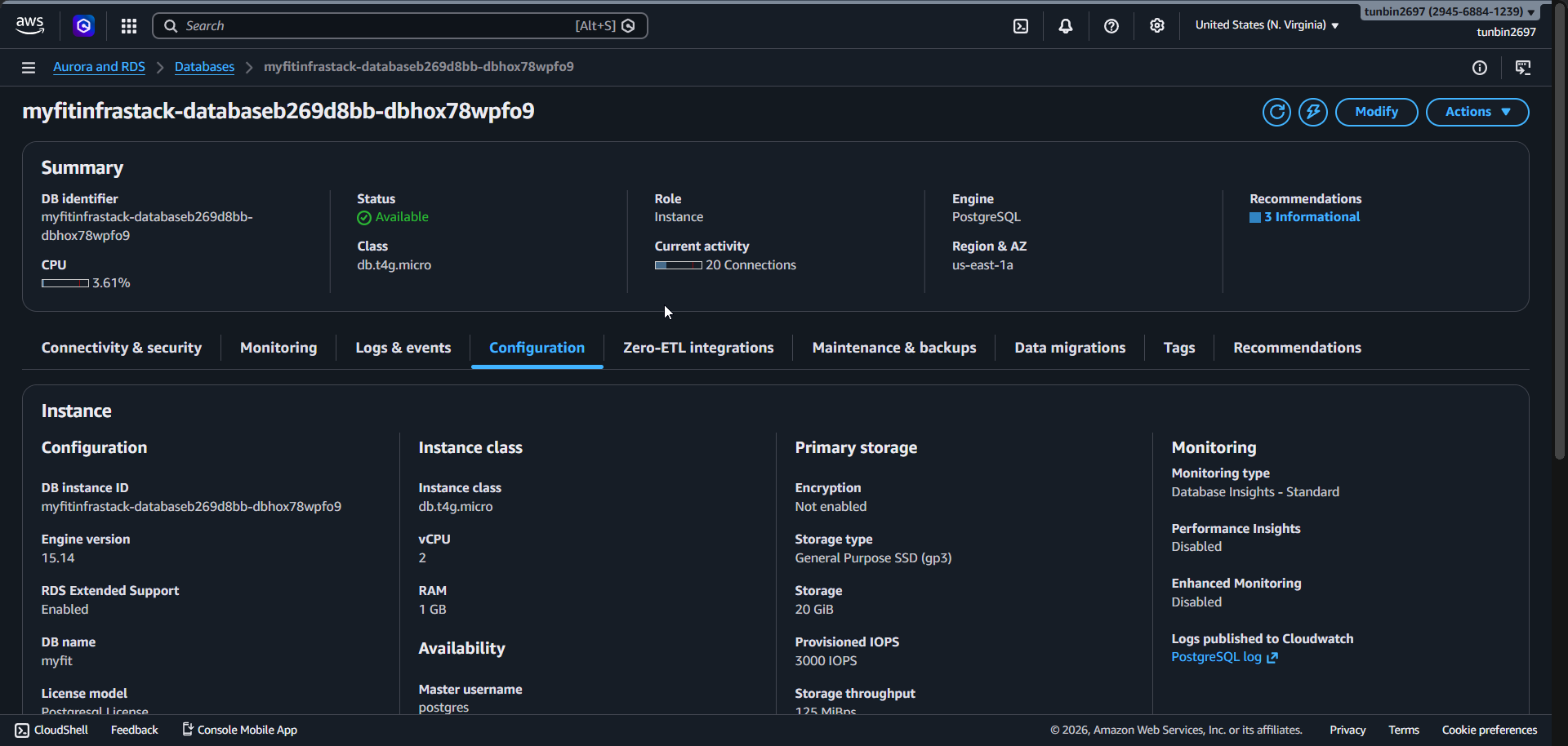
Copy Endpoint address:
<your-rds-endpoint>.Confirm Port:
5432.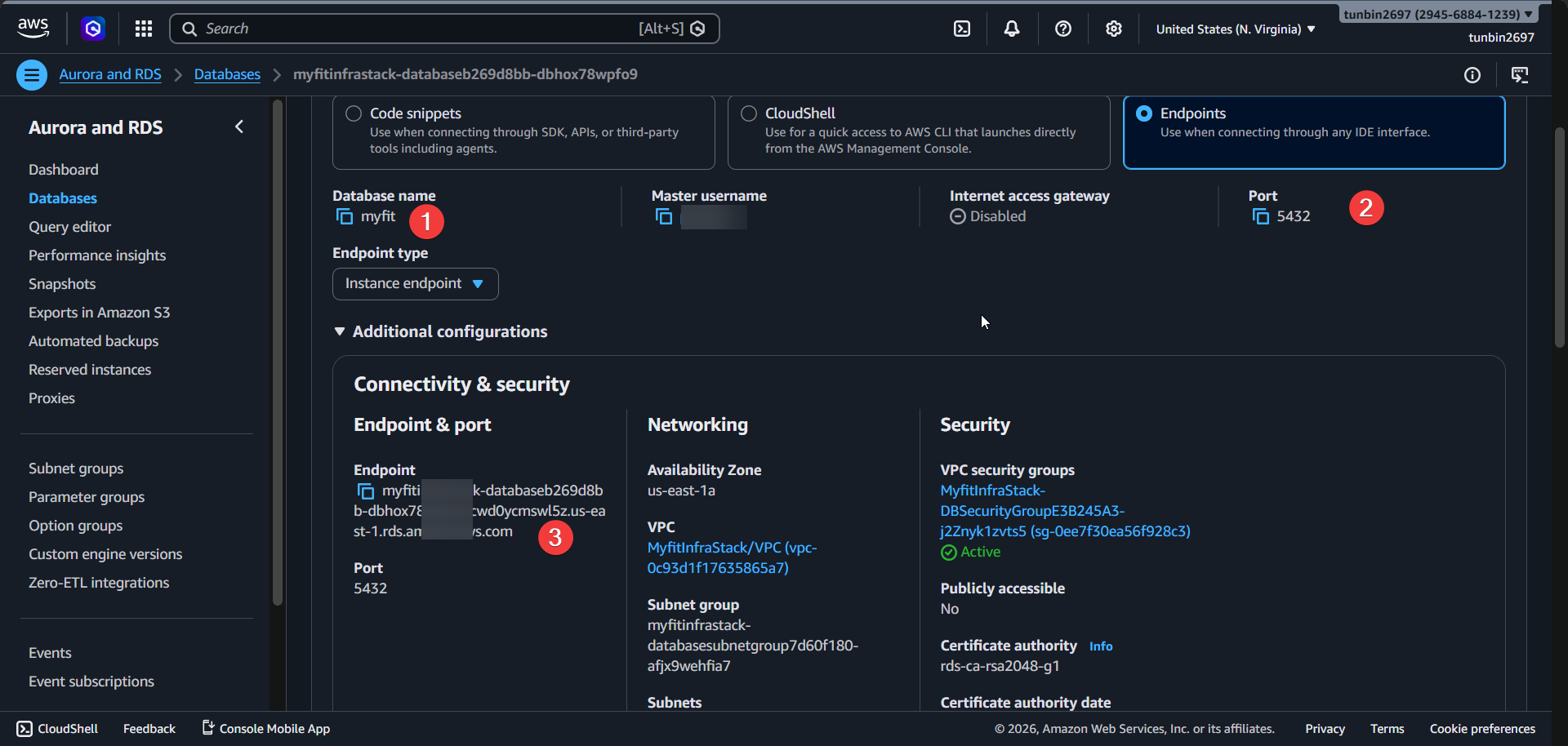
3. Check database secret in Secrets Manager (auto generated)
- Open Secrets Manager Console.
- Save secret and copy ARN:
<your-rds-secret-arn>.
4. Phase completion checklist
- Confirm DB subnet group is
Completeand includes only the two isolated subnets. - Confirm DB instance status is
available. - Confirm Engine/Class/Multi-AZ are
postgres 15.14,db.t4g.micro,true. - Confirm storage is
gp3,20GB, autoscaling50GB. - Confirm Public access is
false, port is5432. - Confirm Backup retention is
7days and CloudWatch logs export includespostgresql. - Confirm secret ARN for DB credentials is saved for later phases.