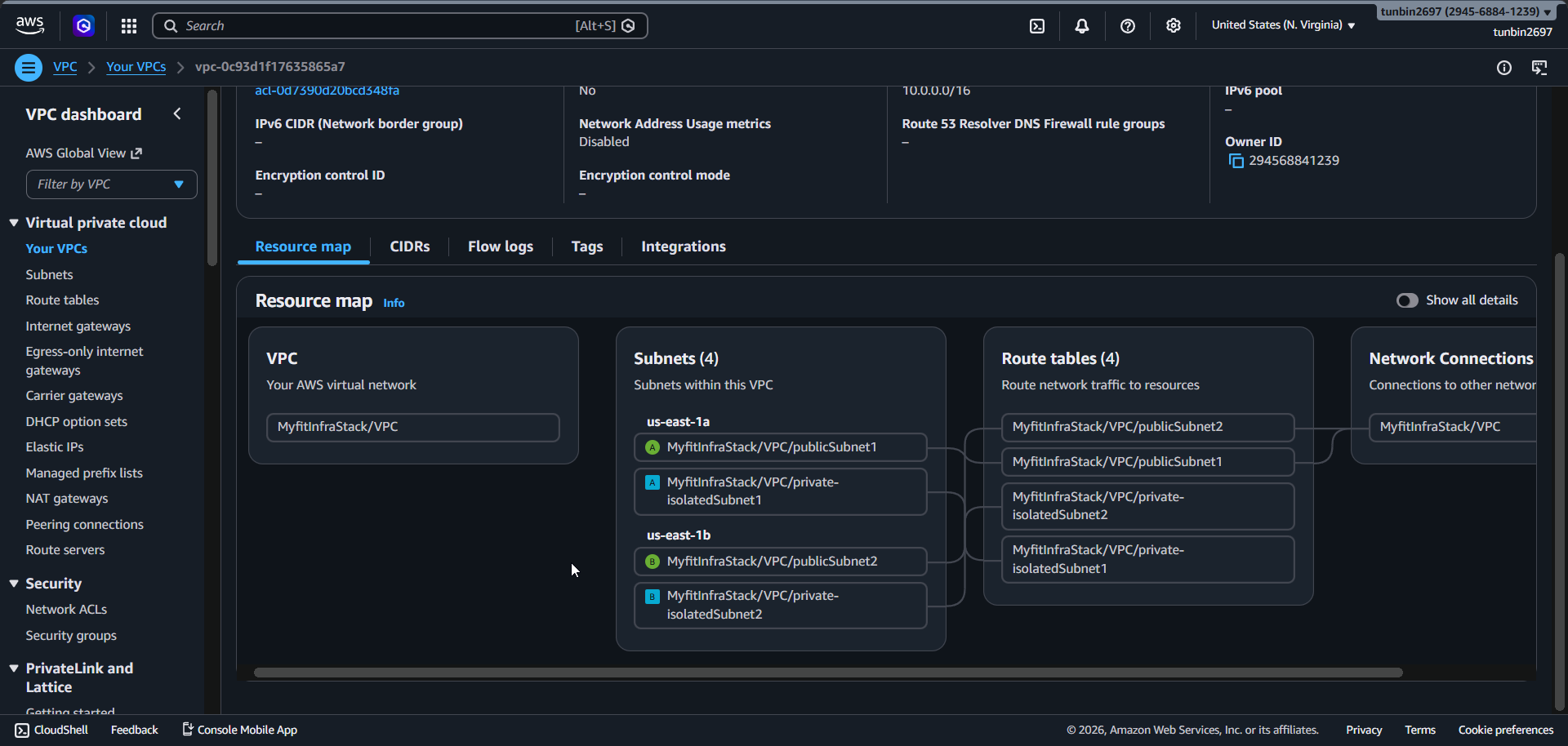
Phase 1 - VPC and Networking
1. Create VPC
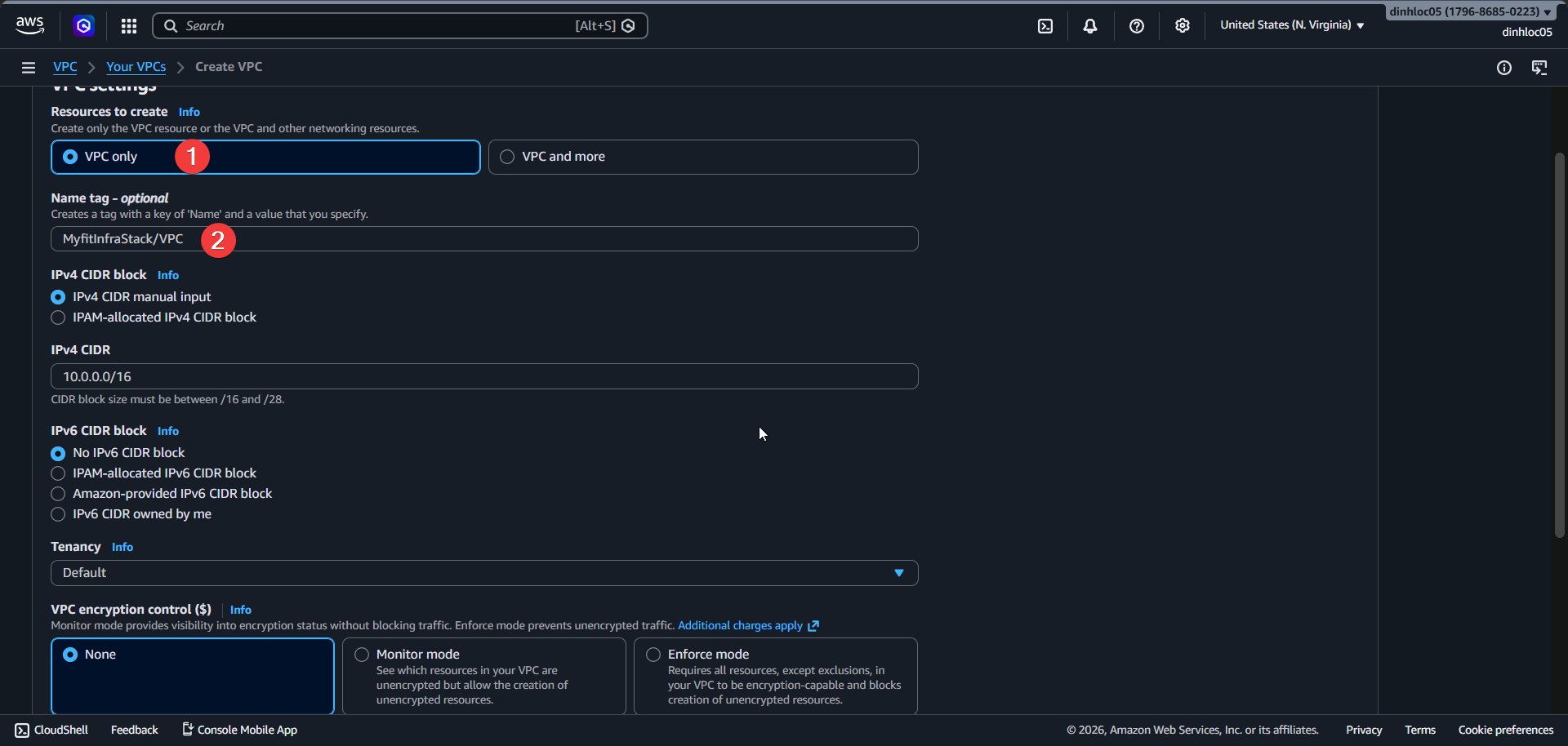
- Select Resources to create:
VPC only. - Enter Name tag:
<your-vpc-name>. - Enter IPv4 CIDR:
10.0.0.0/16. - Set IPv6 CIDR:
No IPv6 CIDR block. - Set Tenancy:
Default.
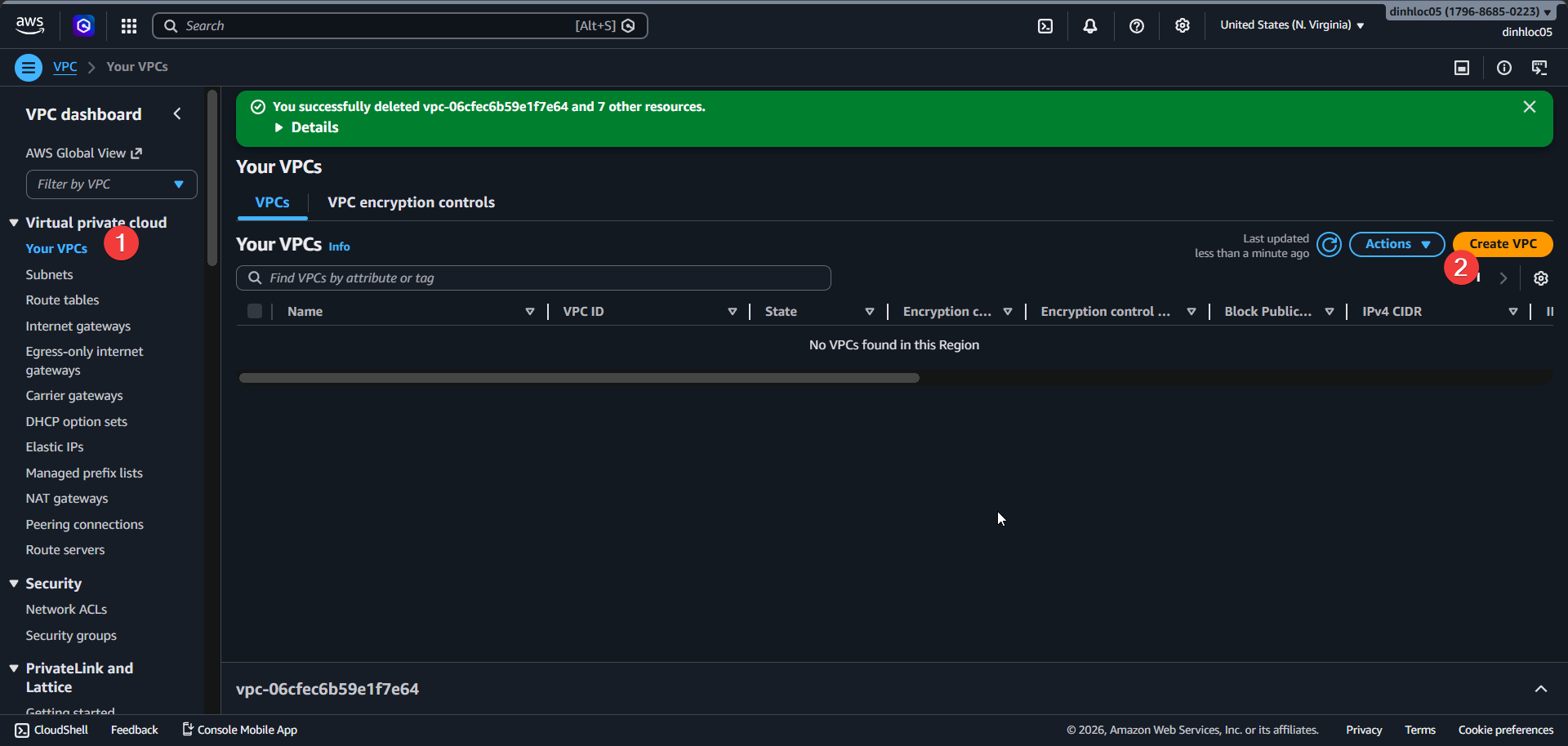
Enable DNS hostnames.
Enable DNS resolution.
Click
Create VPC.Go to Internet Gateway section and create an Internet Gateway.
Attach the Internet Gateway to
<your-vpc-name>.
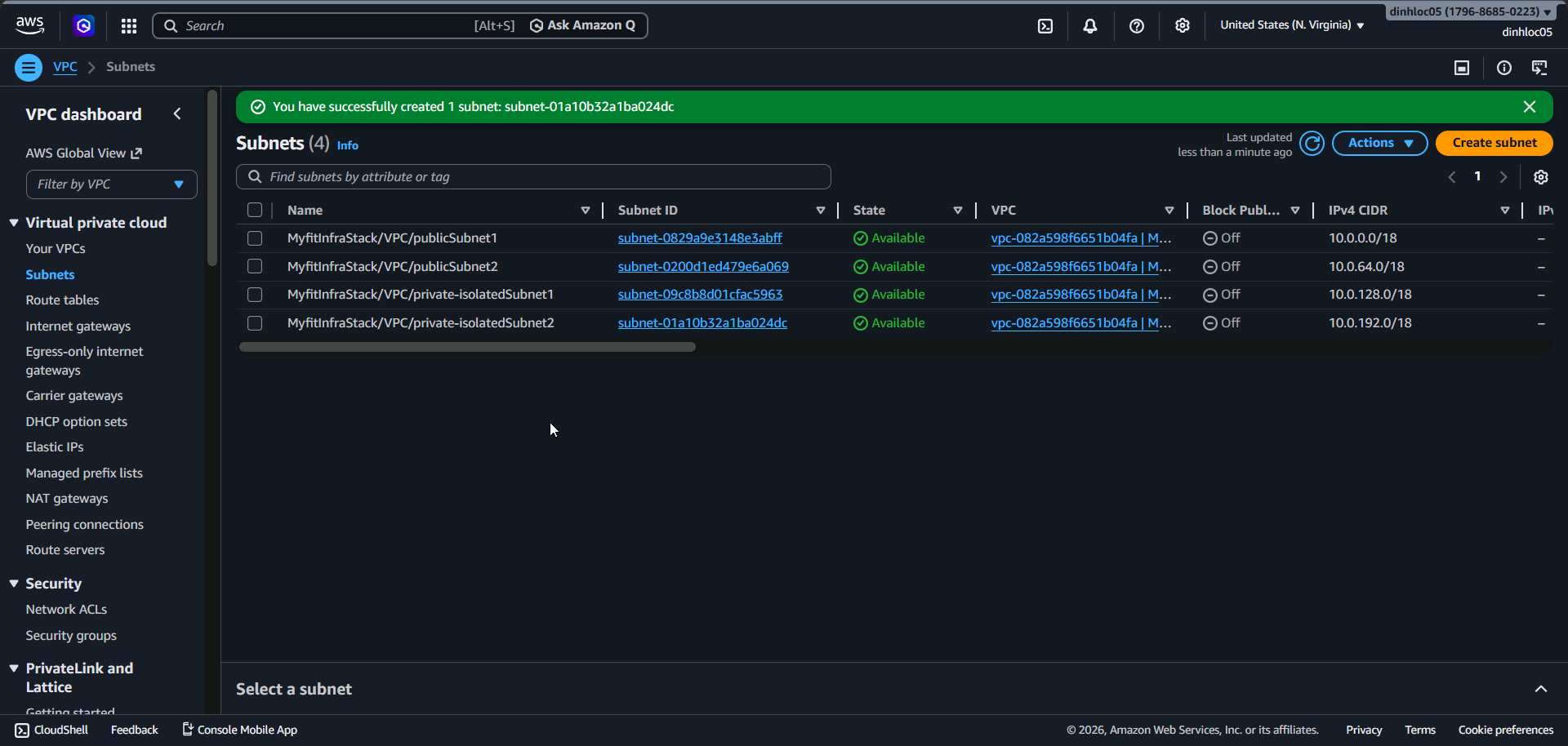
2. Create 4 subnets across 2 AZs
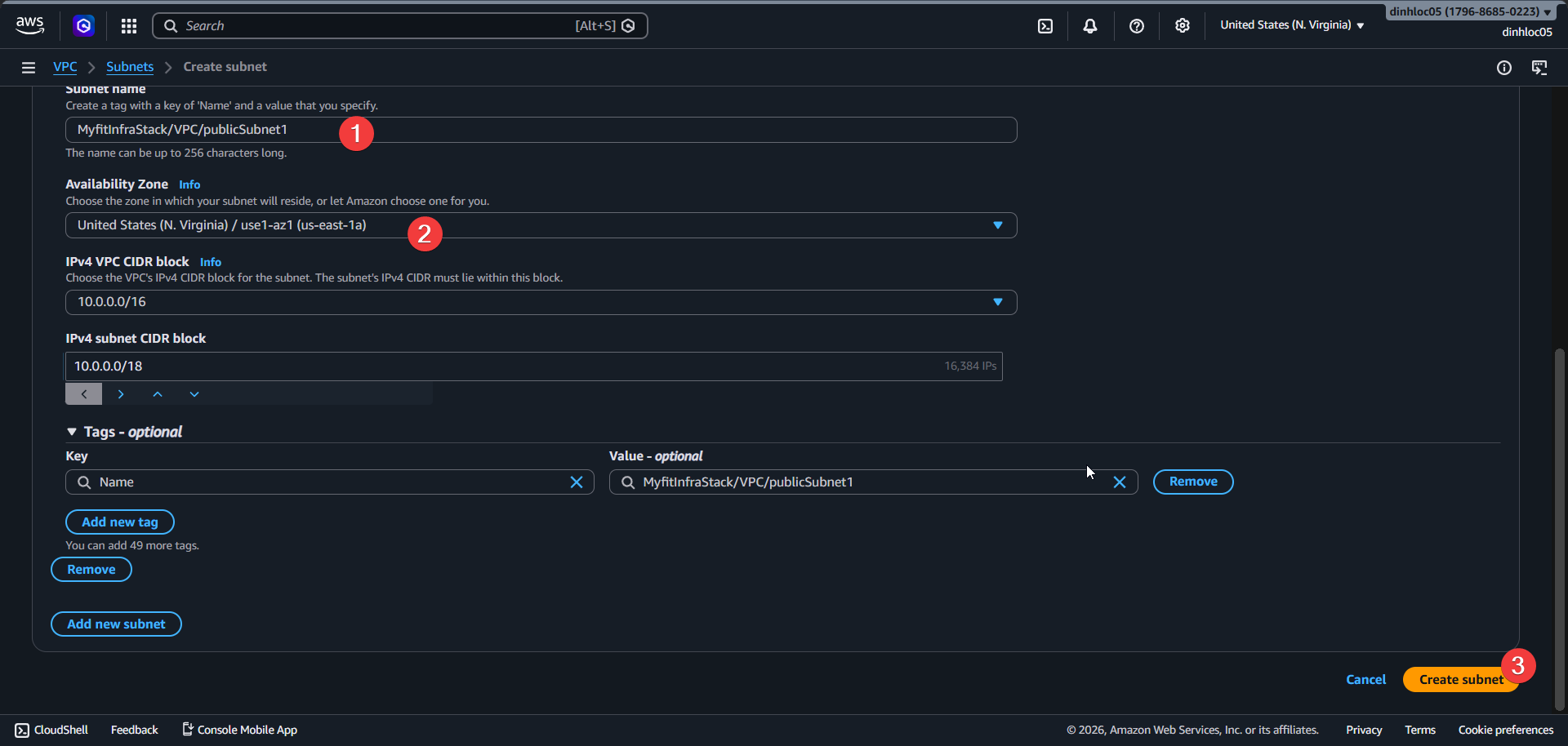
| Subnet | Name | AZ | CIDR |
|---|---|---|---|
| Public Subnet 1 | <your-public-subnet-1-name> | us-east-1a | 10.0.0.0/18 |
| Public Subnet 2 | <your-public-subnet-2-name> | us-east-1b | 10.0.64.0/18 |
| Private Subnet 1 | <your-private-isolated-subnet-1-name> | us-east-1a | 10.0.128.0/18 |
| Private Subnet 2 | <your-private-isolated-subnet-2-name> | us-east-1b | 10.0.192.0/18 |
- Enable auto-assign public IPv4 for the 2 public subnets.
- Keep auto-assign public IPv4 disabled for the 2 isolated subnets.
3. Configure route tables
- Create public route table
<your-public-route-table-name>. - Enter Route:
0.0.0.0/0-<your-internet-gateway-id>. - Associate public route table with
10.0.0.0/18and10.0.64.0/18subnets. - Create isolated route table
<your-isolated-route-table-name>. - Keep only local route
10.0.0.0/16in isolated route table. - Associate isolated route table with
10.0.128.0/18and10.0.192.0/18subnets.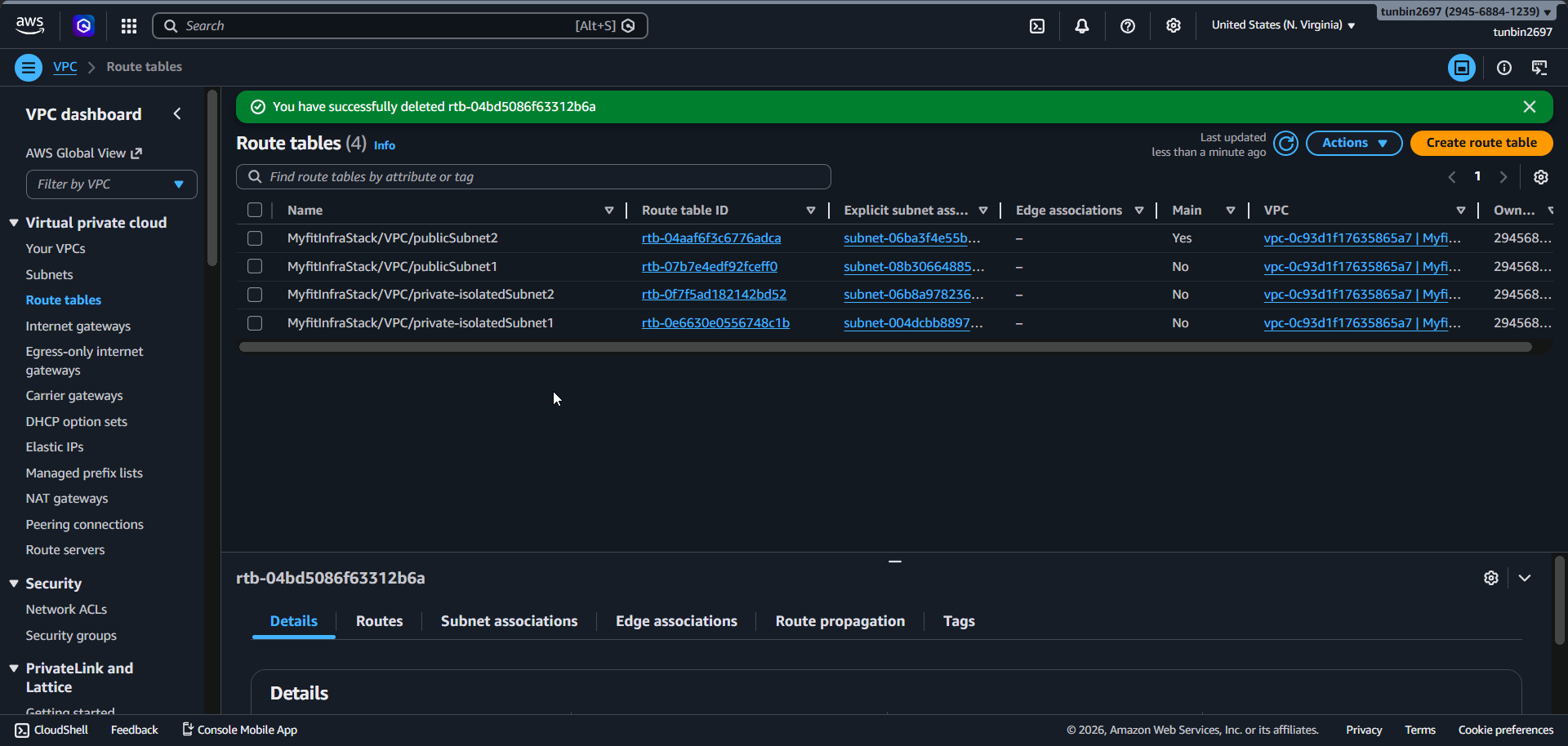
4. Create 3 security groups and connect traffic flow
A. ALB Security Group
- Enter Security group name:
<your-alb-security-group-name>. - Enter Inbound rule:
HTTP, port80, sourcepl-3b927c52. pl-3b927c52 is public endpoint from CloudFront, this mean alb only allow inboud traffic from cloudfront.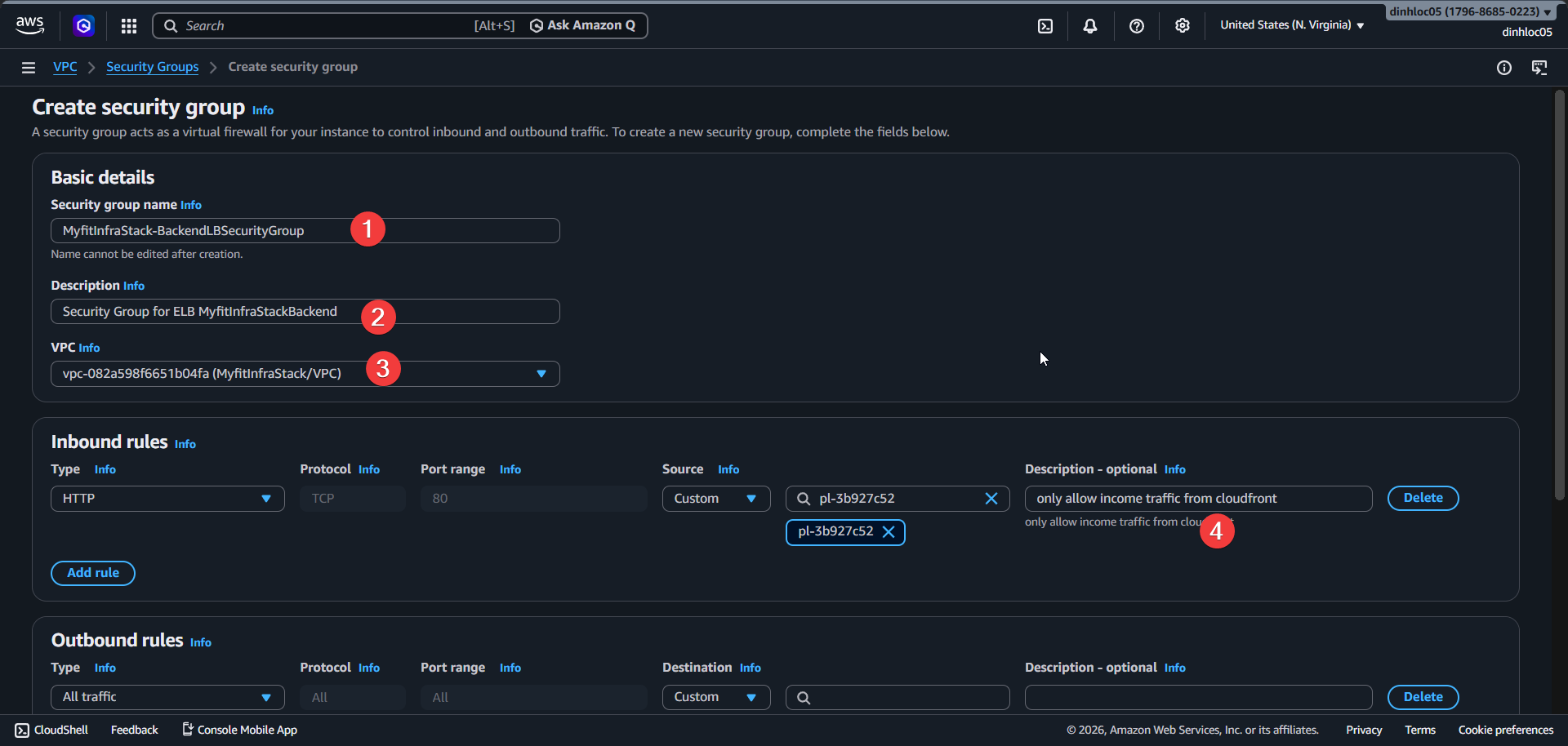
B. Backend Service Security Group
- Enter Security group name:
<your-backend-service-security-group-name>. - Enter Inbound rule:
Custom TCP, port8080, source<your-alb-security-group-id>.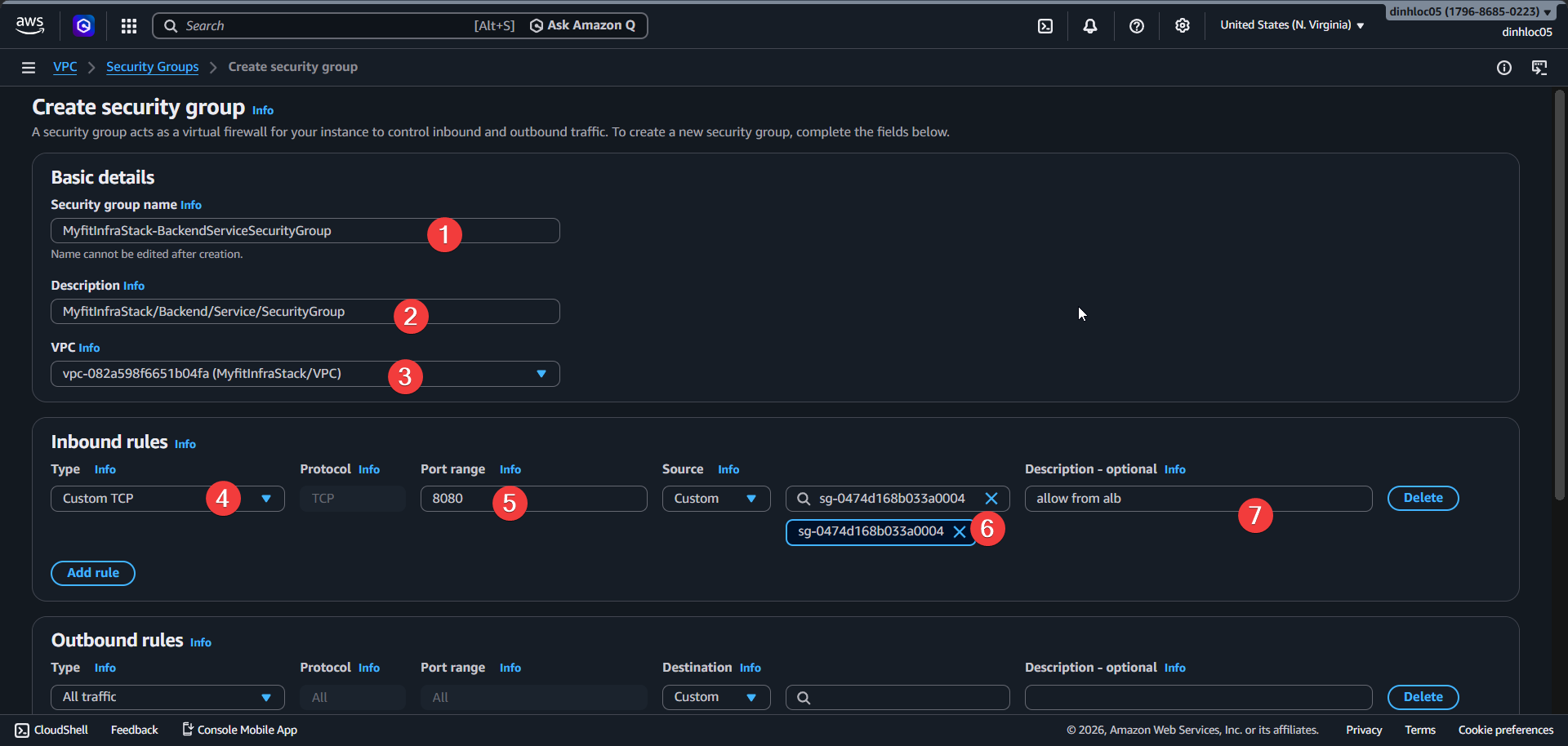
C. Database Security Group
- Enter Security group name:
<your-database-security-group-name>. - Enter Inbound rule:
PostgreSQL, port5432, source<your-backend-service-security-group-id>.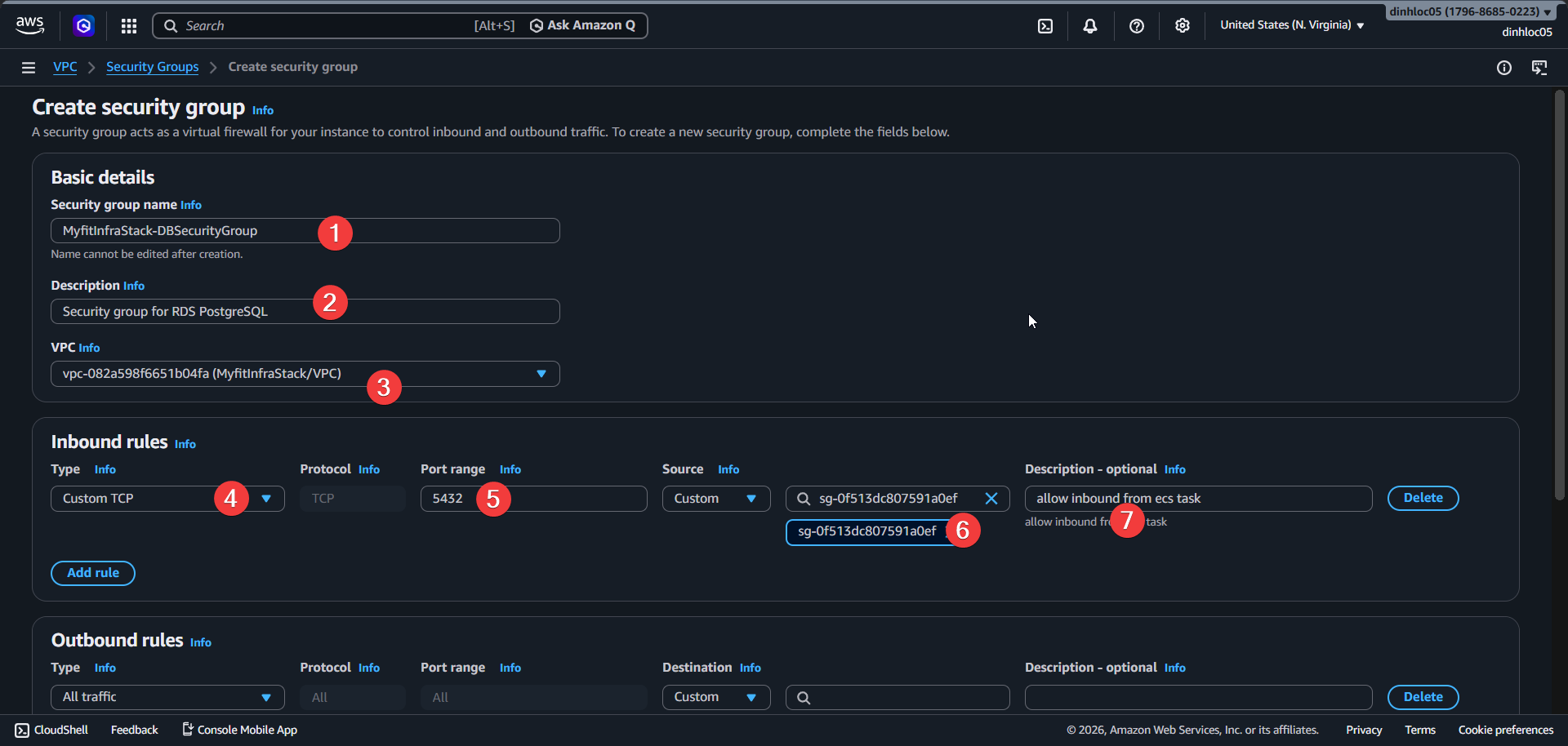
Edit outbound rules
Edit outbound rules of
<your-alb-security-group-name>.Enter Outbound rule:
Custom TCP, port8080, destination<your-backend-service-security-group-id>.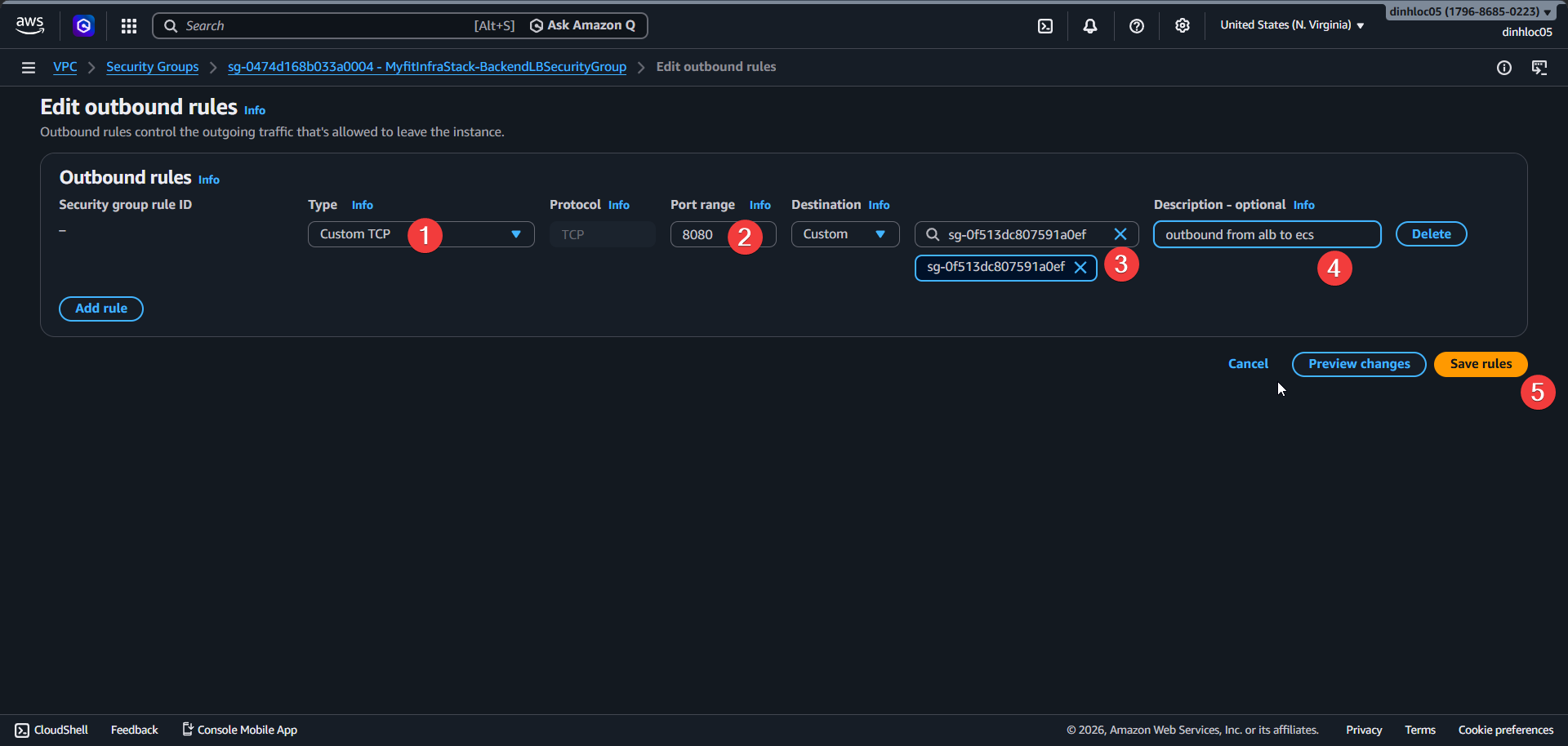
Keep outbound rule of backend and database security groups as
All traffic.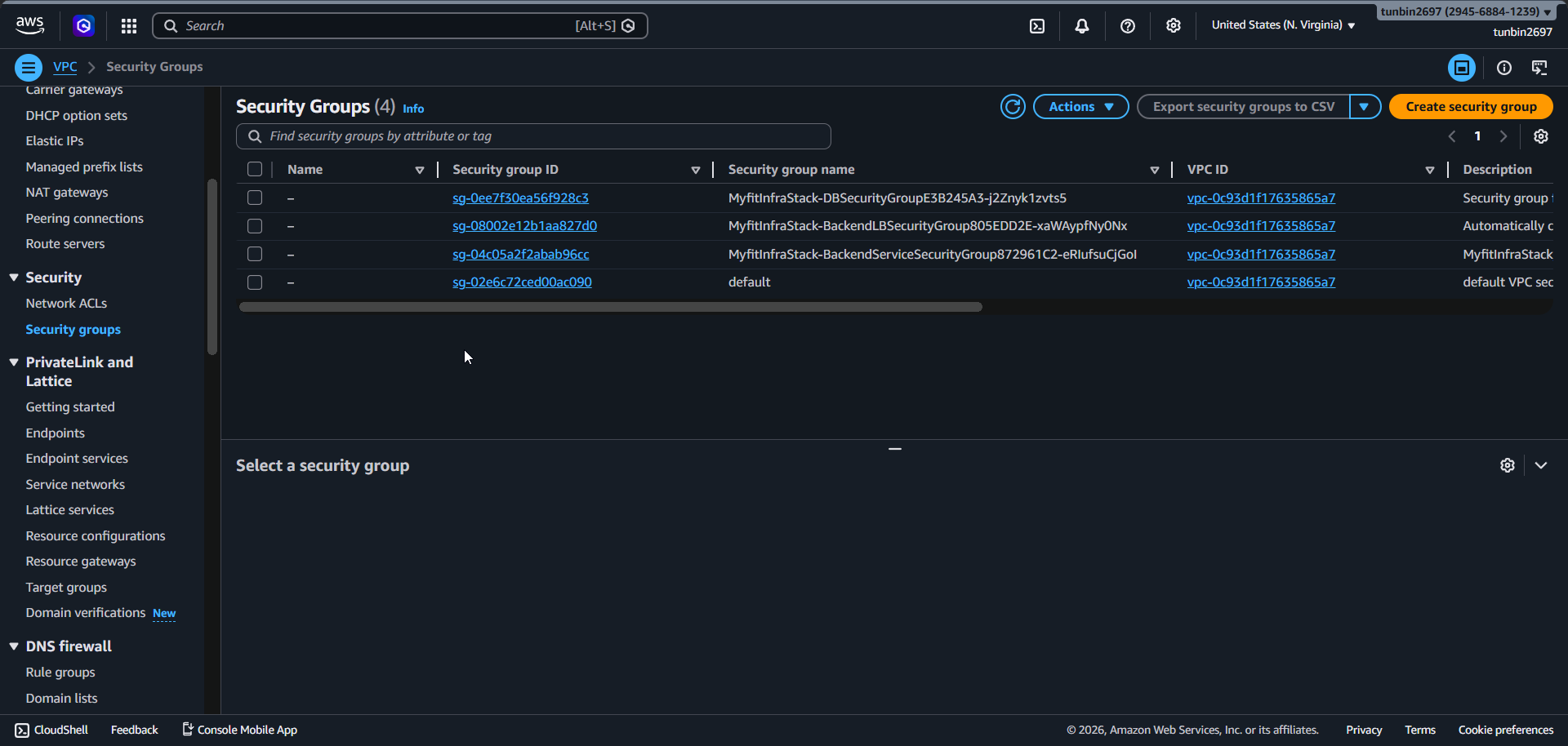
5. Phase completion checklist
- Confirm VPC CIDR is
10.0.0.0/16. - Confirm 4 subnets use exact CIDR/AZ values from section 2.
- Confirm public route table has
0.0.0.0/0 - <your-internet-gateway-id>. - Confirm isolated route table has no internet route.
- Confirm security group rules are exactly: CloudFront - ALB (
80), ALB - backend (8080), backend - database (5432).
- VPC CIDR:
10.0.0.0/16 - DNS hostnames:
true - DNS support:
true - Public subnet 1 CIDR/AZ:
10.0.0.0/18inus-east-1a - Public subnet 2 CIDR/AZ:
10.0.64.0/18inus-east-1b - Isolated subnet 1 CIDR/AZ:
10.0.128.0/18inus-east-1a - Isolated subnet 2 CIDR/AZ:
10.0.192.0/18inus-east-1b - Public route:
0.0.0.0/0 - <your-internet-gateway-id> - Isolated routes: keep local route only
- ALB security group inbound source: CloudFront prefix list
pl-3b927c52 - ALB to backend port:
8080 - Backend to database port:
5432